
Bank Transfer via VietQR
Bank Transfer via VietQR (VietQR) is a real-time money transfer method between bank accounts by using Napas in Vietnam. With enhancements from Zalopay, VietQR has been transformed into a combination of bank deeplink and traditional QR payment methods, with 20 million VietQR users as of November 2023 and a 41% penetration rate among the bank population.
Properties
The following table lists the product properties supported by VietQR.
Payment type | Real-time payment | ||
Funding source | Balance | ||
Acquirer | AntomSG, AntomUS, AntomUK, AntomEU, AntomHK | Merchant entity location | SG, US, UK, EEA, HK |
Payment flow | Code-scanning/Deeplink | Refund | ✔️ |
Buyer country/region | Vietnam | Partial refund | ✔️[1] |
Processing currency | VND | Chargeback/Dispute | ❌ |
Minimum payment amount | 2,000 VND | Refund period | 180 days |
Maximum payment amount | 499,000,000 VND | Time to return payment result | Real-time |
Default timeout | 15 minutes | ||
[1] Partial refund is not supported for transactions paid using a digital wallet, except for Zalopay.
User experience
Note: The following payment flows on different terminals are reference only, and represent this payment method's flow on different terminal types. For supported merchants' terminal types, consult Antom Technical Support.
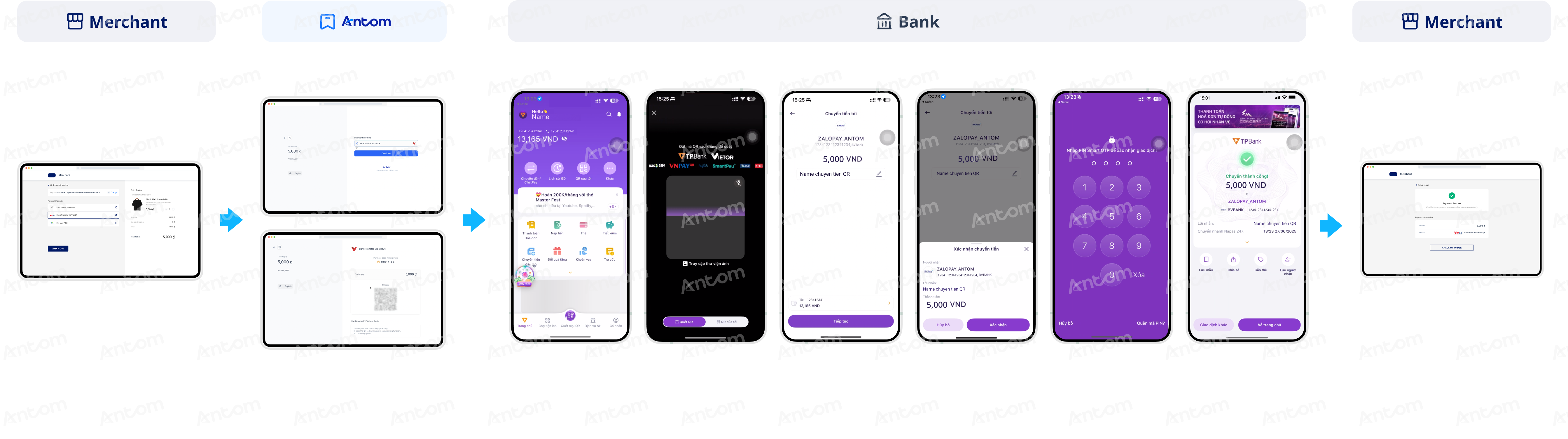
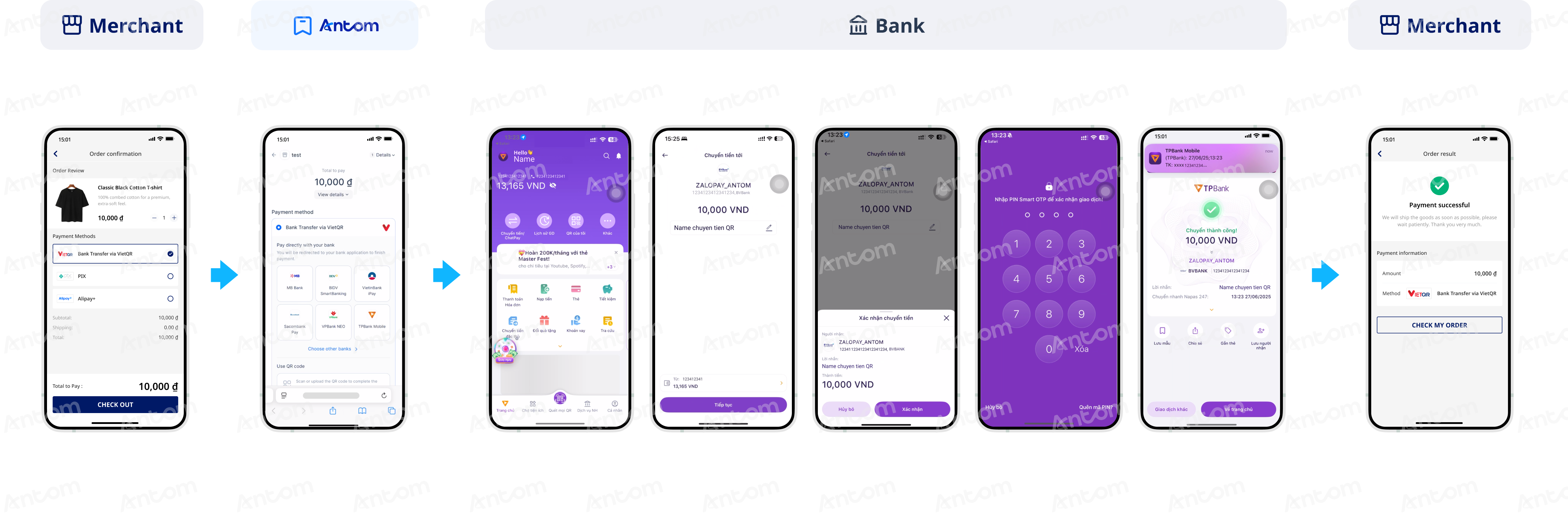
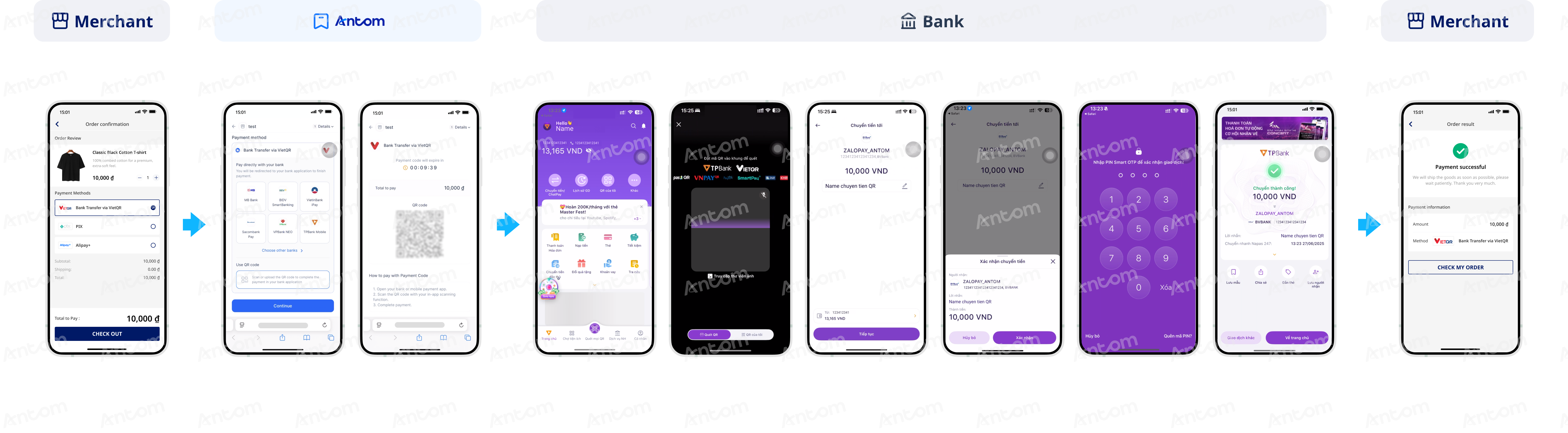
The following graphics show the user experience of paying with VietQR:
Web
Deeplink
QR code
Supported online payment integrations
Antom offers a range of integration options tailored to each payment method. Each payment method may support different online payment integration options, allowing for flexibility based on your business requirements. The table below provides detailed information about the specific integrations available for each payment method:
Supported online payments | Supported integrations |
One-time Payments | ❌ Web Element ❌ Mobile Element ❌ Payment links |
Tokenized Payment | ❌ |
Subscription Payment | ❌ |
EasySafePay | ❌ |
Scan to Link | ❌ |