
MPay
For One-time Payments
MPay, Macau's leading mobile payment method, enables users to securely link bank accounts and credit cards to its digital wallet. As the region's dominant digital wallet, it processes over 90% of Macau's population (approximately 680,000 registered users) and powers ubiquitous payment services.
Properties
The following table lists the product properties supported by MPay.
[1] The limits for each level of MPay are listed in the table below. Note that the limit may change, refer to MPay for the latest updates.
User experience
Note: The following payment flows on different terminals are reference only, and represent this payment method's flow on different terminal types. For supported merchants' terminal types, consult Antom Technical Support.
The following graphics show the user experience of paying with MPay:
Web (Log in)
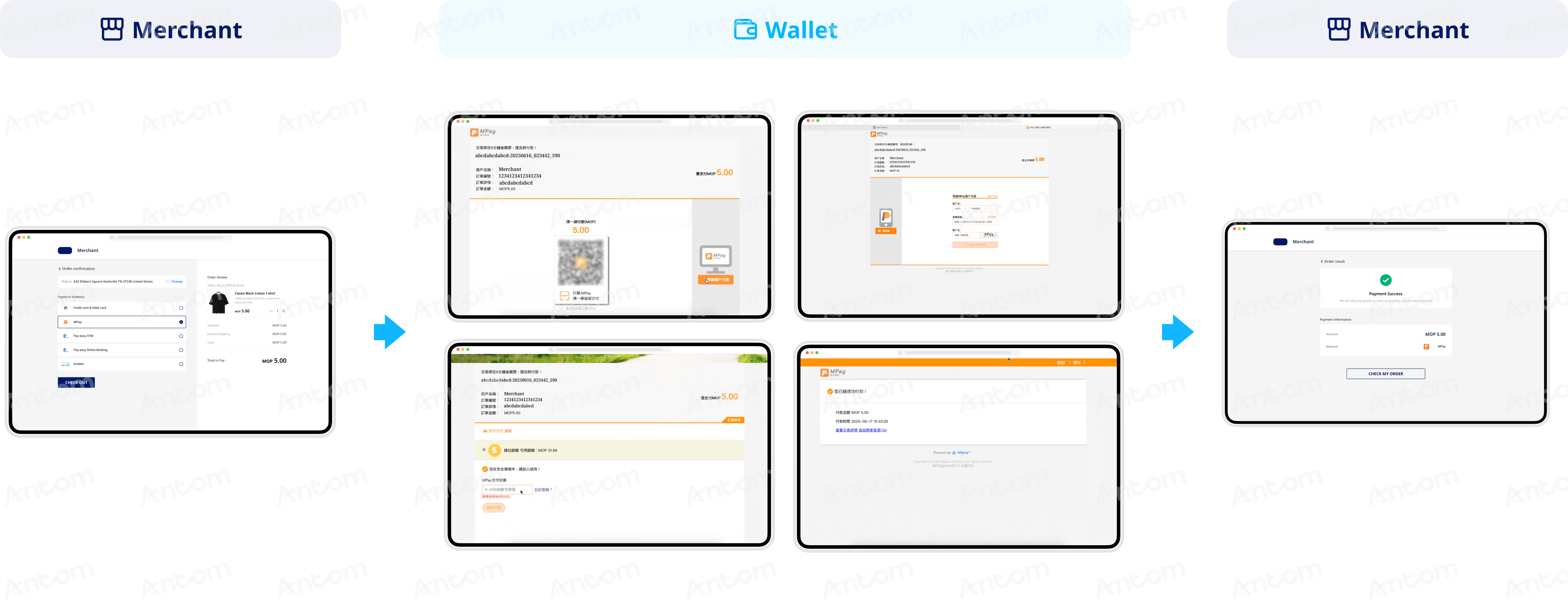
- The buyer selects MPay to pay.
- The buyer is directed to MPay's web page, where the buyer can log in to proceed with the payment.
- The buyer logs in with the phone number and password registered with MPay.
- The buyer confirms the payment and enters the payment password.
- After completing the payment, the buyer is redirected to the merchant result page.
Web (Code-scanning)
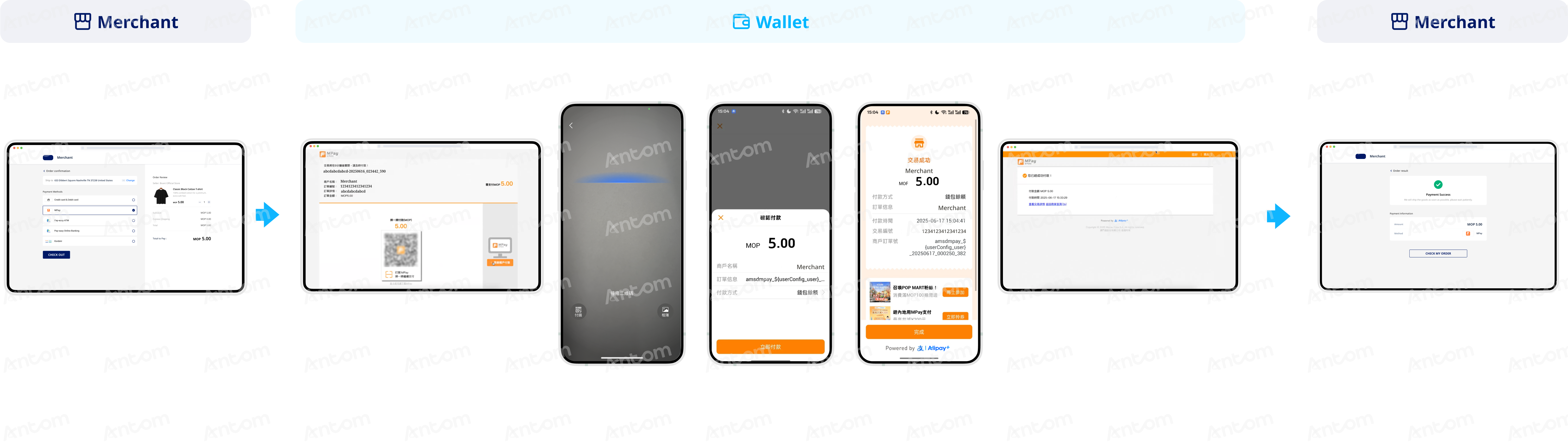
- The buyer selects MPay to pay.
- The buyer is directed to MPay's web page, where the payment code is displayed.
- The buyer opens the MPay app to scan the code.
- The buyer confirms the payment and views the payment result.
- After completing the payment, the buyer is redirected to the merchant result page.
WAP
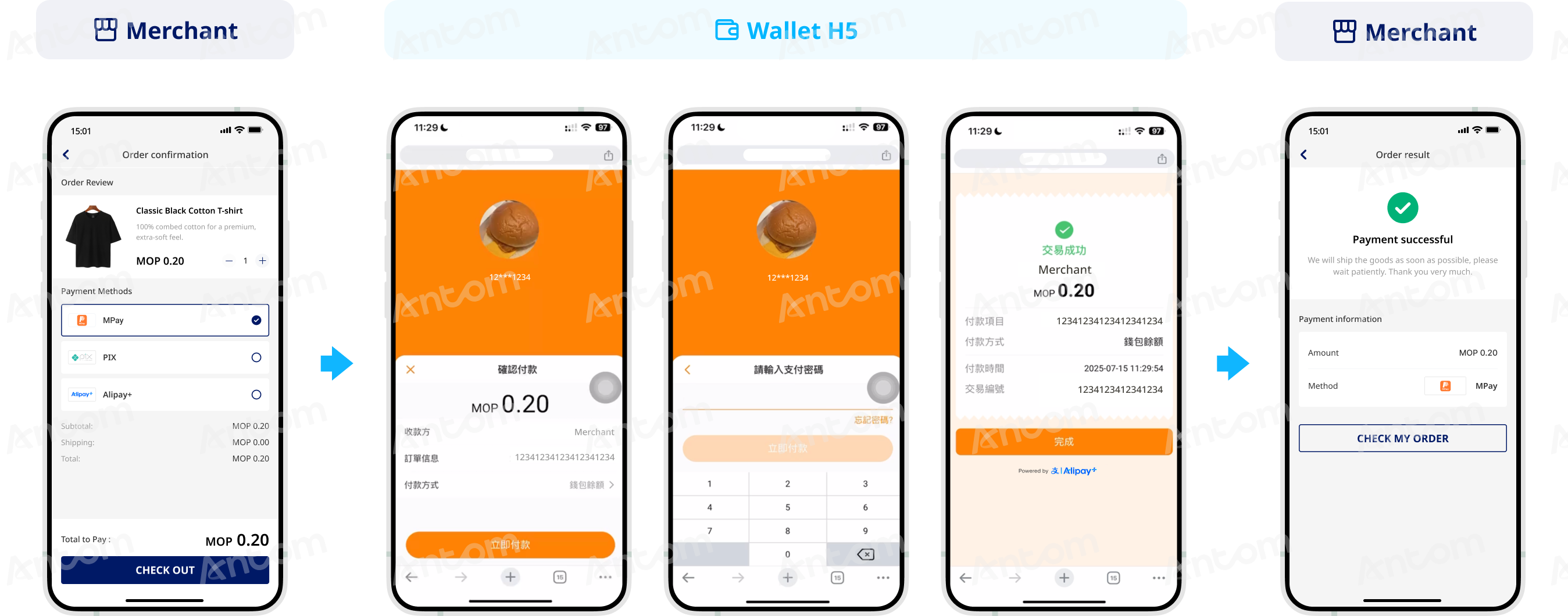
- The buyer selects MPay to pay.
- The buyer is directed to the MPay's payment page to confirm the payment.
- The buyer enters the payment password.
- The buyer checks the payment result.
- The buyer is redirected to the merchant result page.
App
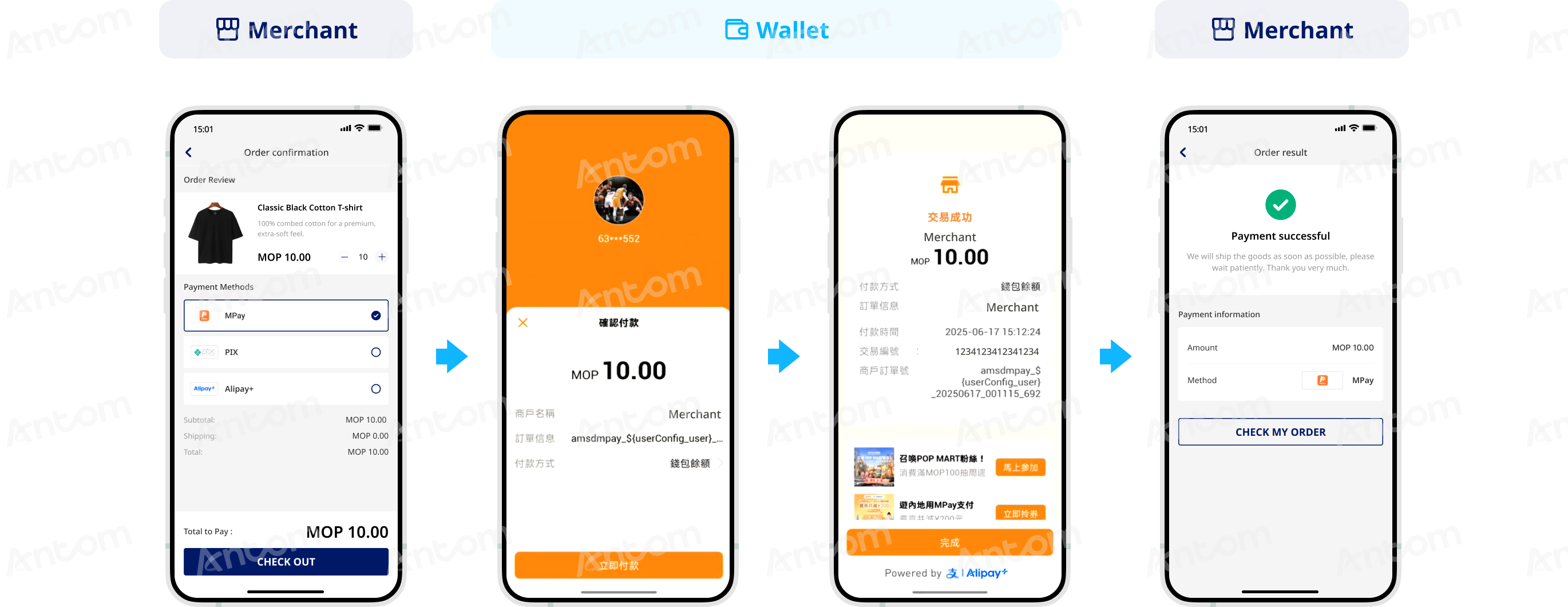
- The buyer selects MPay to pay.
- The buyer is directed to the MPay app to confirm the payment.
- The buyer checks the payment result.
- The buyer is redirected to the merchant result page.
For Tokenized Payment
MPay, Macau's leading mobile payment method, enables users to securely link bank accounts and credit cards to its digital wallet. As the region's dominant digital wallet, it processes over 90% of Macau's population (approximately 680,000 registered users) and powers ubiquitous payment services.
Properties
The properties of the MPay payment method are shown in the following table:
[1] Due to Macao regulatory reasons, only small amount auto-debit is supported. When buyers choose payment method options bound to different wallets, the limits vary, usually between 1,000-5,000 MOP, and are subject to the return of payment results.
User experience
The following graphics show the MPay authorization process:
WAP
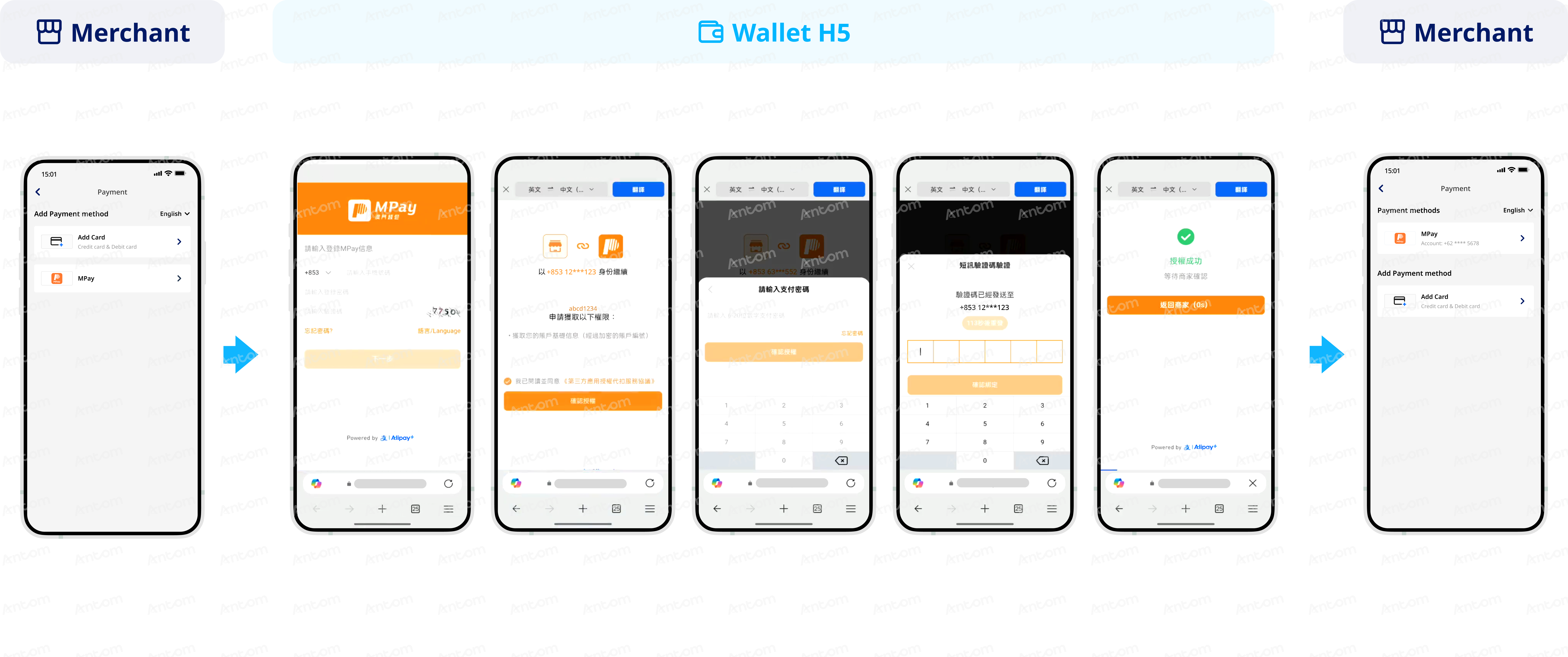
- The buyer selects MPay to bind.
- The buyer is redirected to the MPay page and logs in with phone number and password.
- The buyer confirms the authorization information.
- The buyer enters the payment password.
- The buyer enters the OTP.
- The buyer checks the authorization result.
- The buyer is redirected to the merchant page to check the binding result.
App
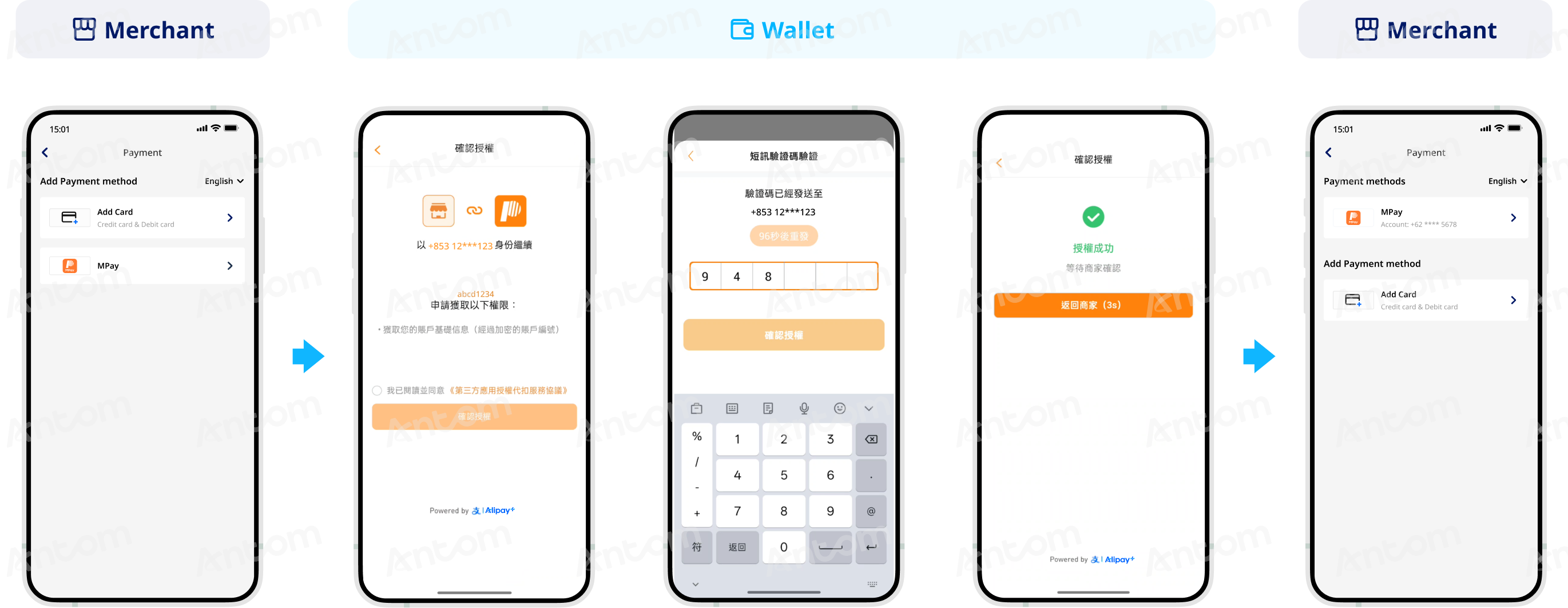
- The buyer selects MPay to bind.
- The buyer is redirected to the MPay app to confirm the authorization information.
- The buyer enters the payment password.
- The buyer checks the authorization result.
- The buyer is redirected to the merchant page to check the binding result.
Supported online payment integrations
Antom offers a range of integration options tailored to each payment method. Each payment method may support different online payment integration options, allowing for flexibility based on your business requirements. The table below provides detailed information about the specific integrations available for each payment method: