NAVER Pay is a mobile payment service underpinned by South Korea's search engine giant NAVER. Launched in 2015, NAVER Pay is the second mobile e-wallet launched by the internet company NAVER Group after Line Pay.
After creating a NAVER Pay account, users can bind bank cards, transfer money, and complete online and offline purchases. Furthermore, users can earn NAVER Points by using NAVER Pay for payments and joining other activities. They can then use those points to enjoy discounts on future payments.
The properties of the NAVER Pay payment method are shown in the following table:
Note: Wallets might change the transaction limit according to internal reasons such as risk policy. For high-risk merchants with cards funding source enabled, both wallet and card companies transaction limit apply to the merchants.
Note: The following payment flows on different terminals are reference only, and represent this payment method's flow on different terminal types. For supported merchants' terminal types, consult Antom Technical Support.
The section is the payment experience of NAVER Pay in different scenarios.
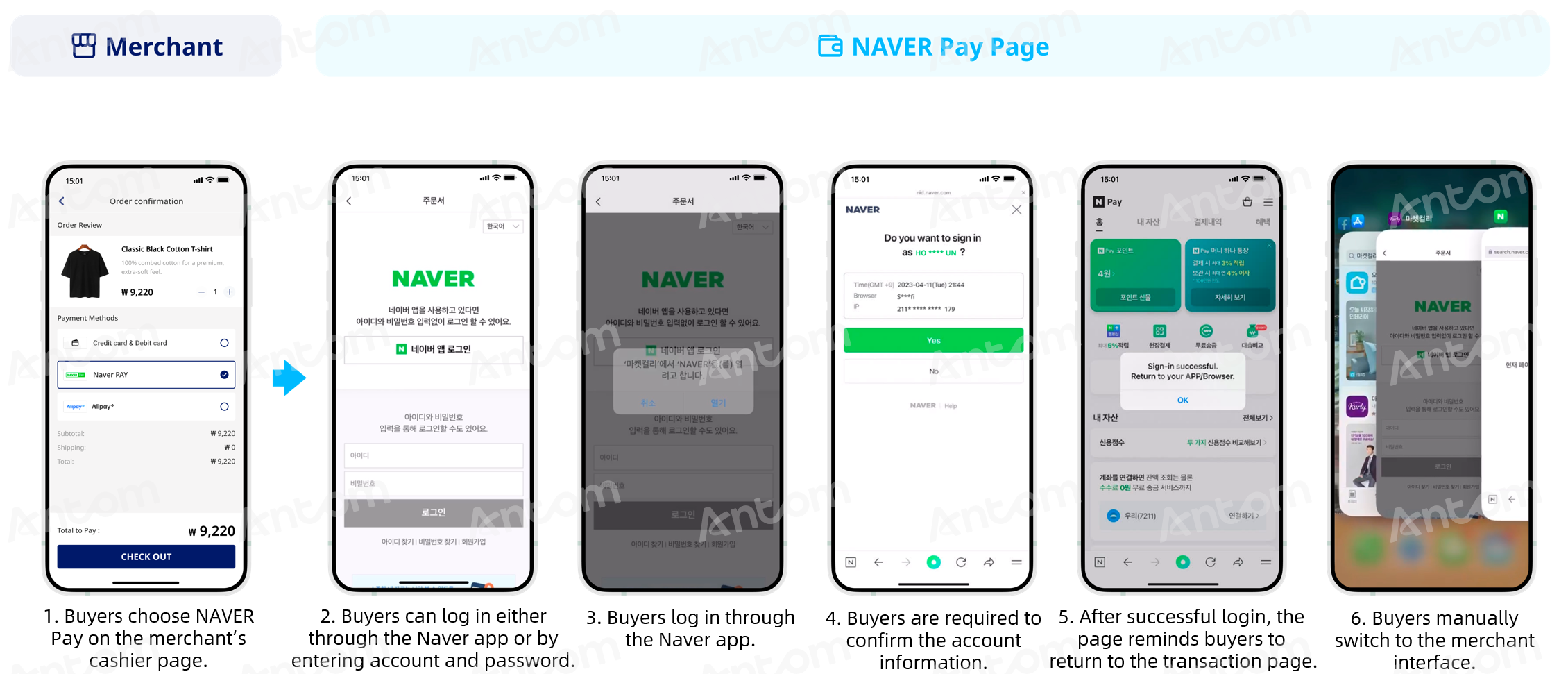
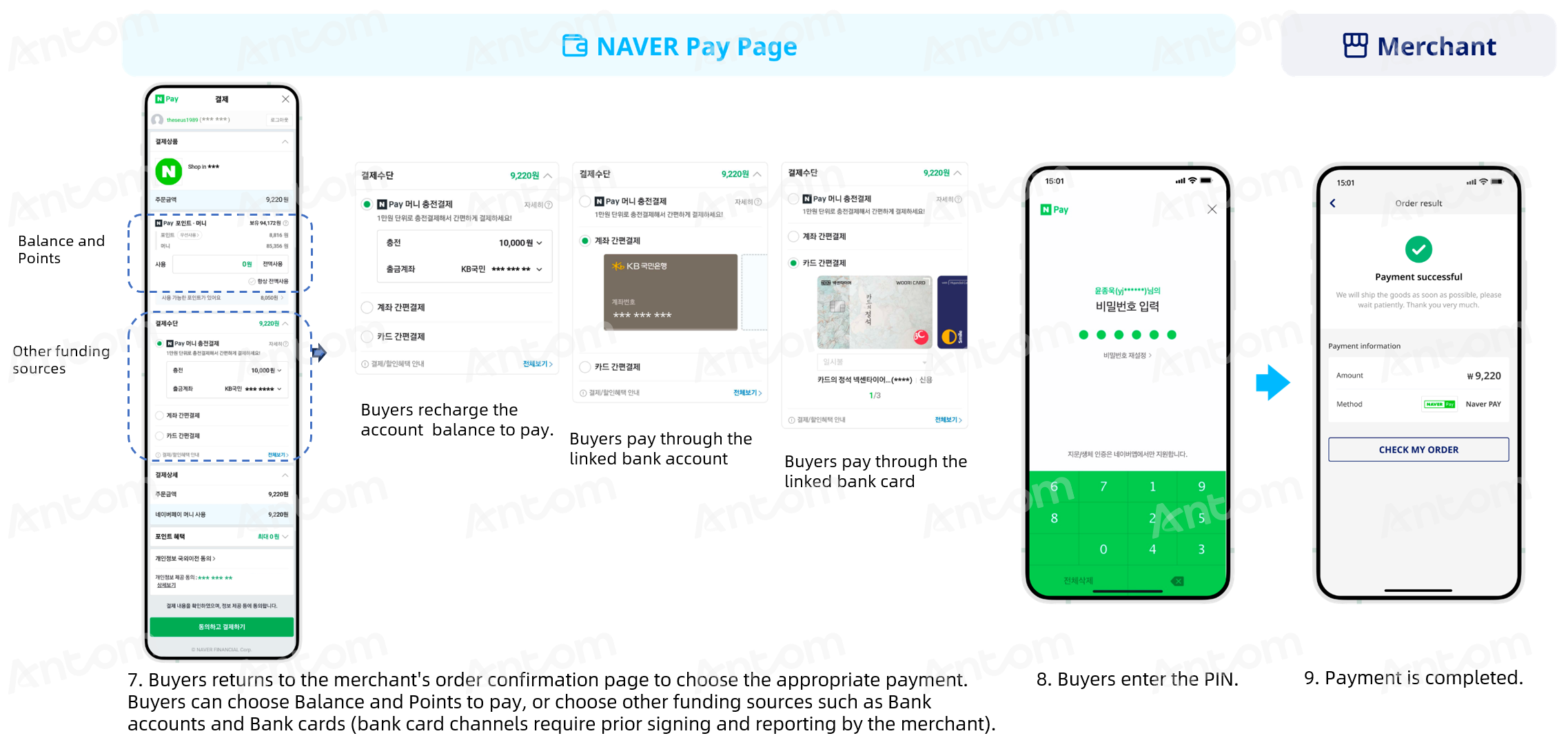
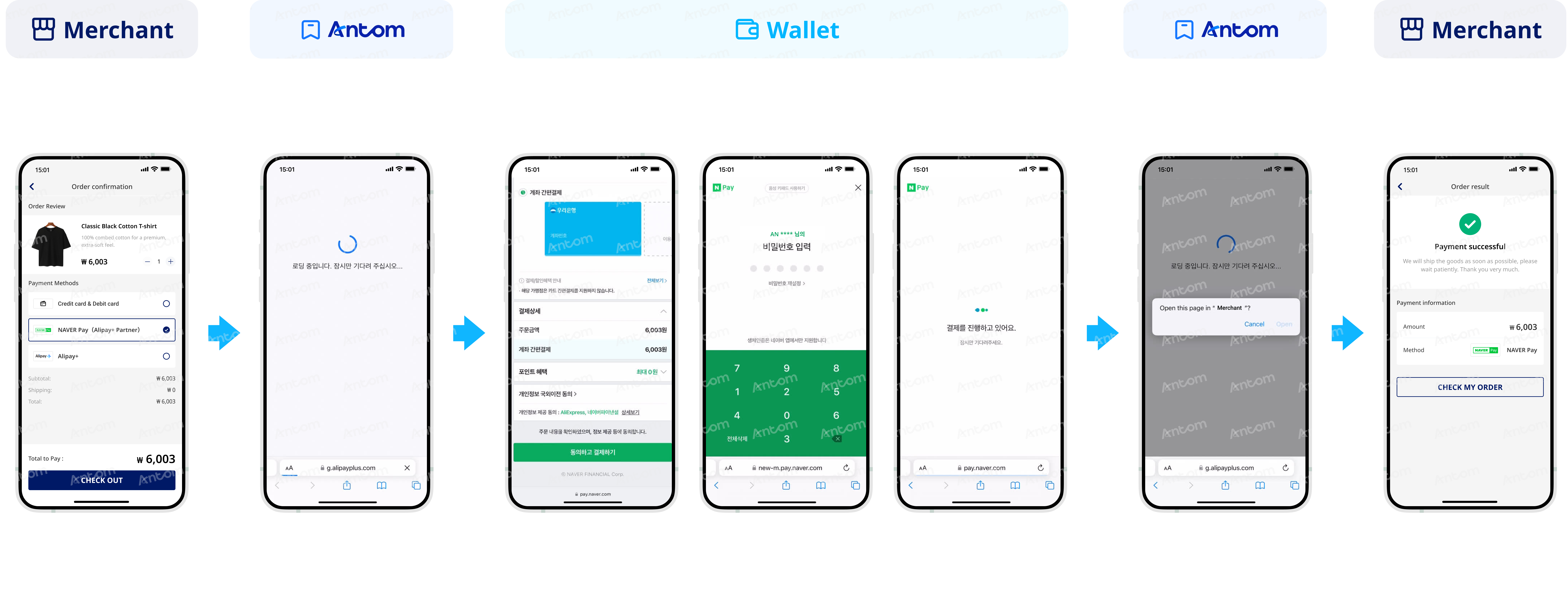
The following screenshots show the journey of paying with NAVER Pay in the app:
The following screenshot shows the journey of paying with NAVER Pay by logging in to an account:
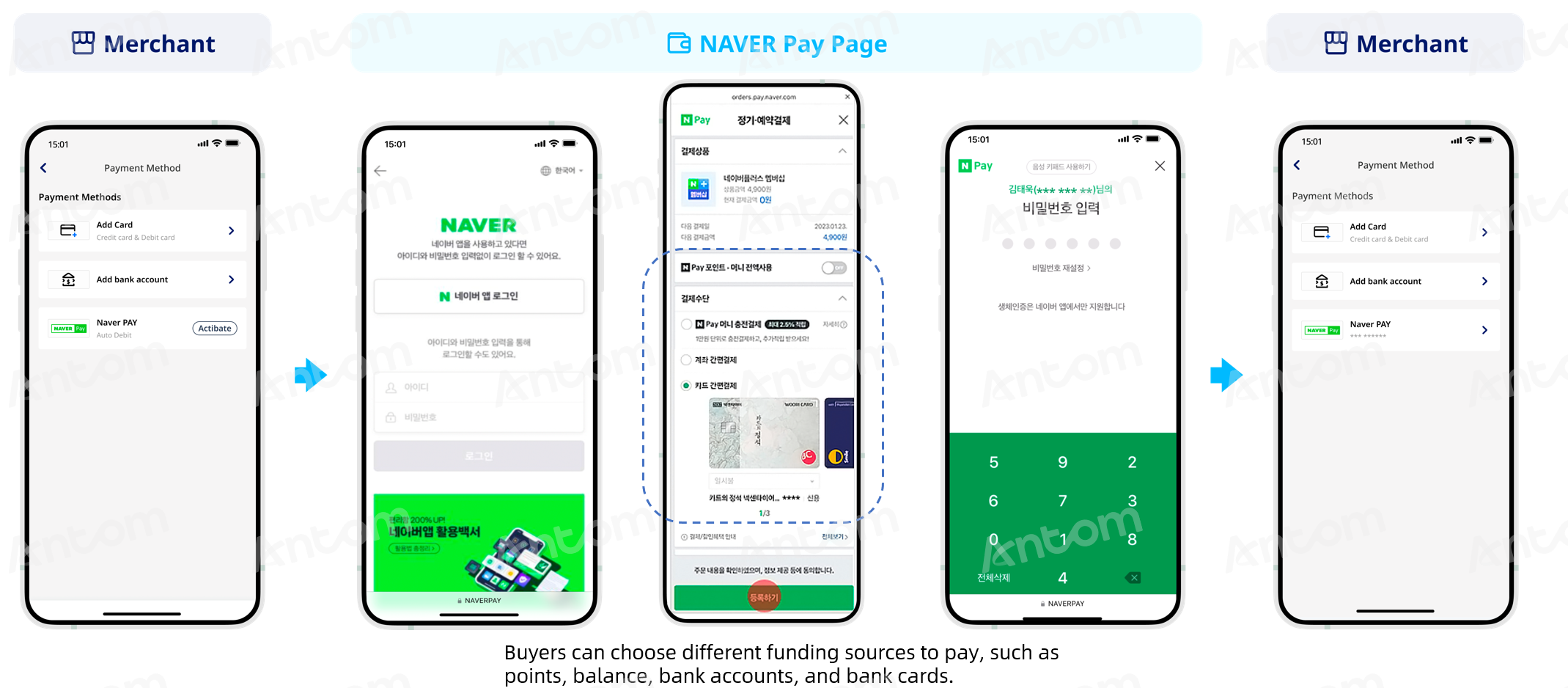
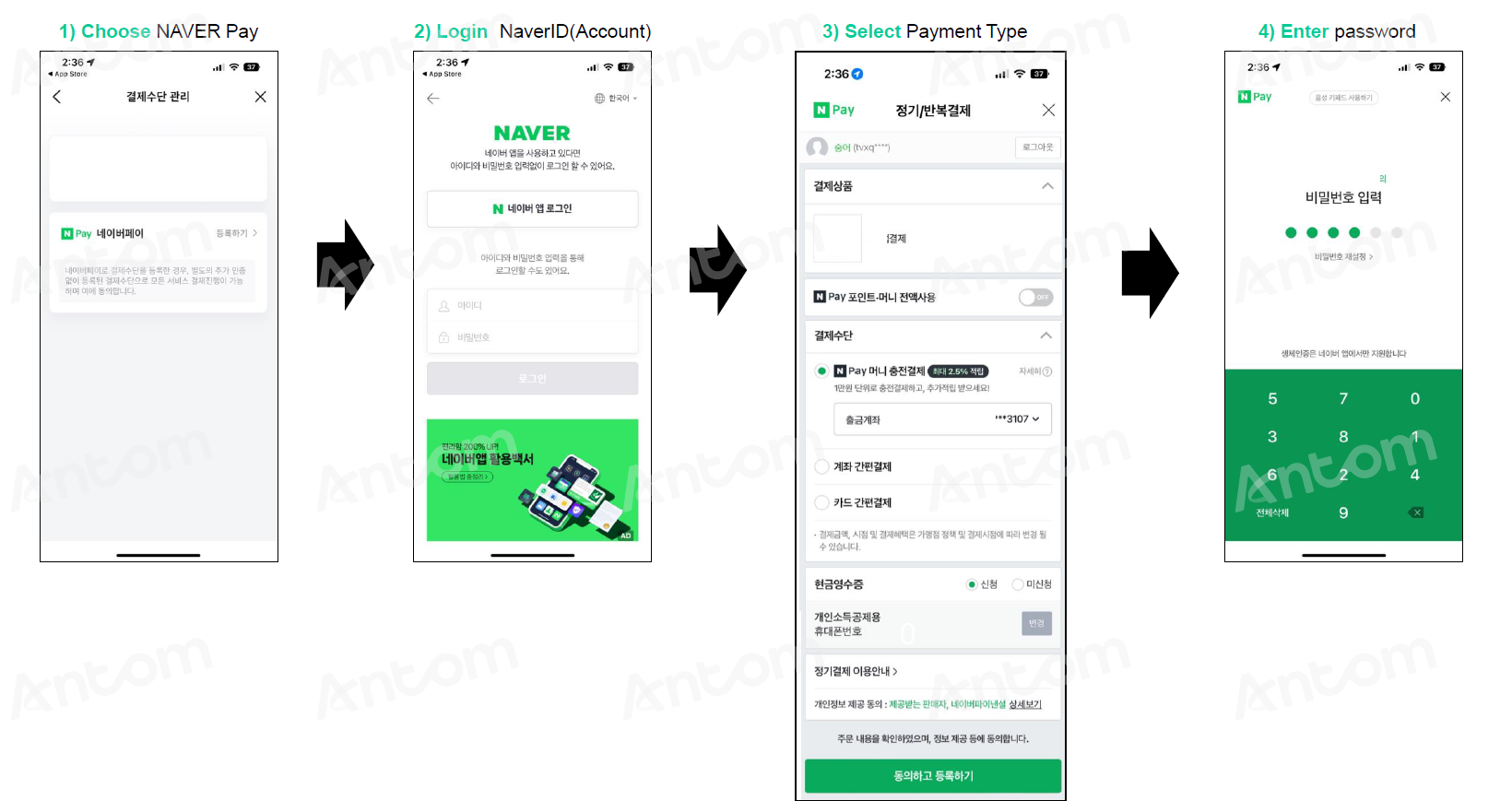
Buyers need to complete the authorization and binding of their NAVER Pay accounts before using Tokenized Payment. The following screenshot shows the journey of the account login, authorization, and binding:
NAVER Pay is a mobile payment service underpinned by South Korea's search engine giant NAVER. Launched in 2015, NAVER Pay is the second mobile e-wallet launched by the internet company NAVER Group after Line Pay.
After creating a NAVER Pay account, users can bind bank cards, transfer money, and complete online and offline purchases. Furthermore, users can earn NAVER Points by using NAVER Pay for payments and joining other activities. They can then use those points to enjoy discounts on future payments.
The properties of the NAVER Pay payment method are shown in the following table:
The following graphic shows the NAVER Pay app authorization process:
Figure 1. Authorization process with NAVER Pay
Supported online payment integrations
Antom offers a range of integration options tailored to each payment method. Each payment method may support different online payment integration options, allowing for flexibility based on your business requirements. The table below provides detailed information about the specific integrations available for each payment method:
[1] The PC client requires additional integration. After the buyer logs in, payment is not completed directly on the original page, but is automatically redirected to a new tab. It is recommended to enable the browser pop-up access, and create a new browser object (or window) in the code to open the pop-up page to process the payment.
Not a customer yet?
Speak to our payment experts for product demos, personalised solutions, pricing, and fast integration support. Contact us now to discover a tailored payment experience for your business!