
Error scenario simulation
Error scenario simulation provides simulations of different API results and returns the specified response for integration testing.
Before you begin
Before conducting the error scenario simulation, log in to Antom Dashboard, and complete the following steps:
- Enter the Key configuration page, and configure the settings for the sandbox environment. For specific steps, refer to API key configuration.
- Go to Developer > Notification URL. Select the Configuration tab. Click Add under Action and enter your notification receiving address under Notification URL.
Simulate errors
Error scenario simulation can simulate all result codes, including rare production environment scenarios. This helps developers to work with the same corresponding system logic processing in the test mode. The effective time of the results can be changed by adjusting the simulation time.
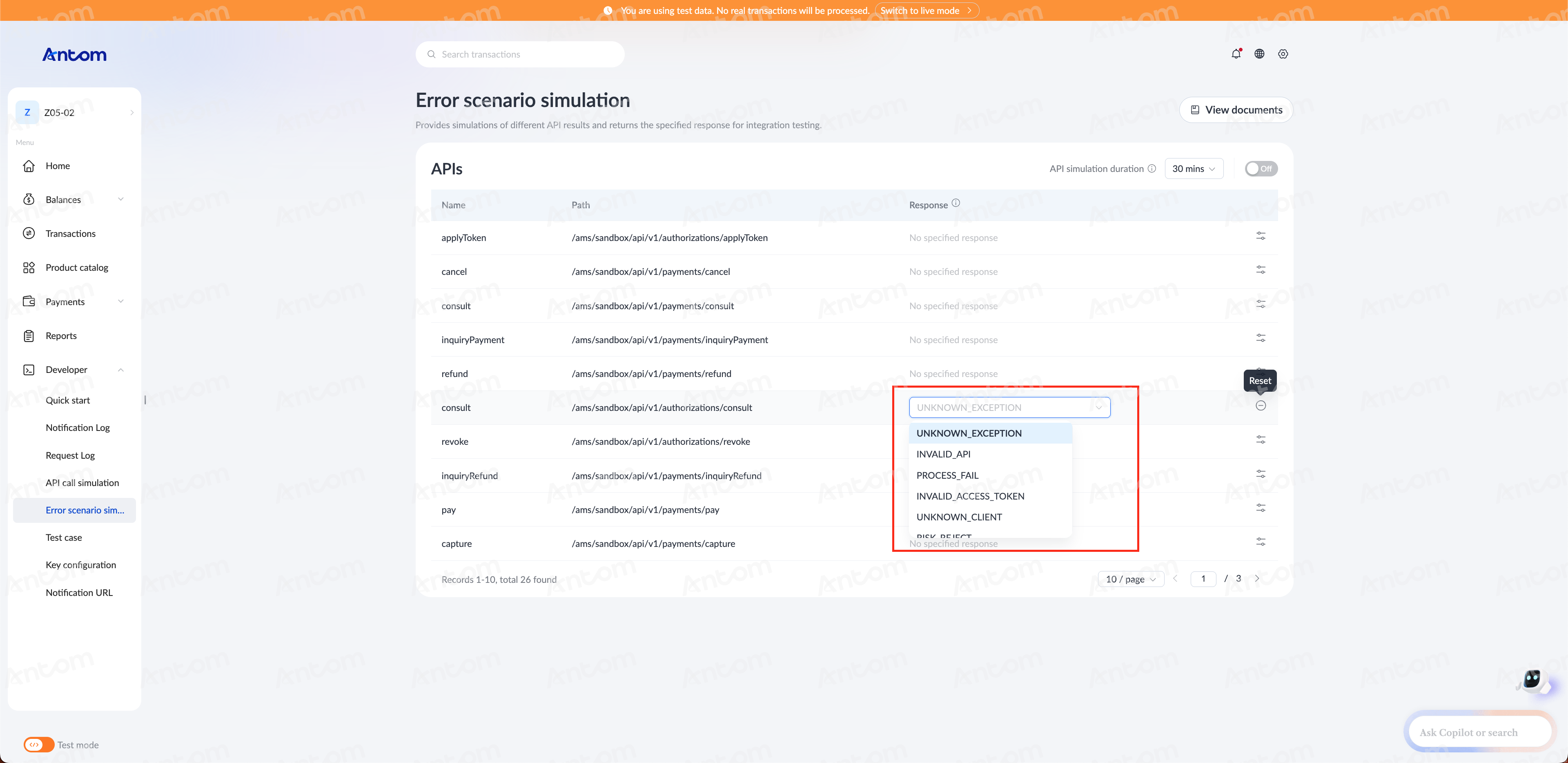
Antom provides a variety of responses corresponding to different result codes. Select a specific result code for the system to simulate the corresponding response of the API.
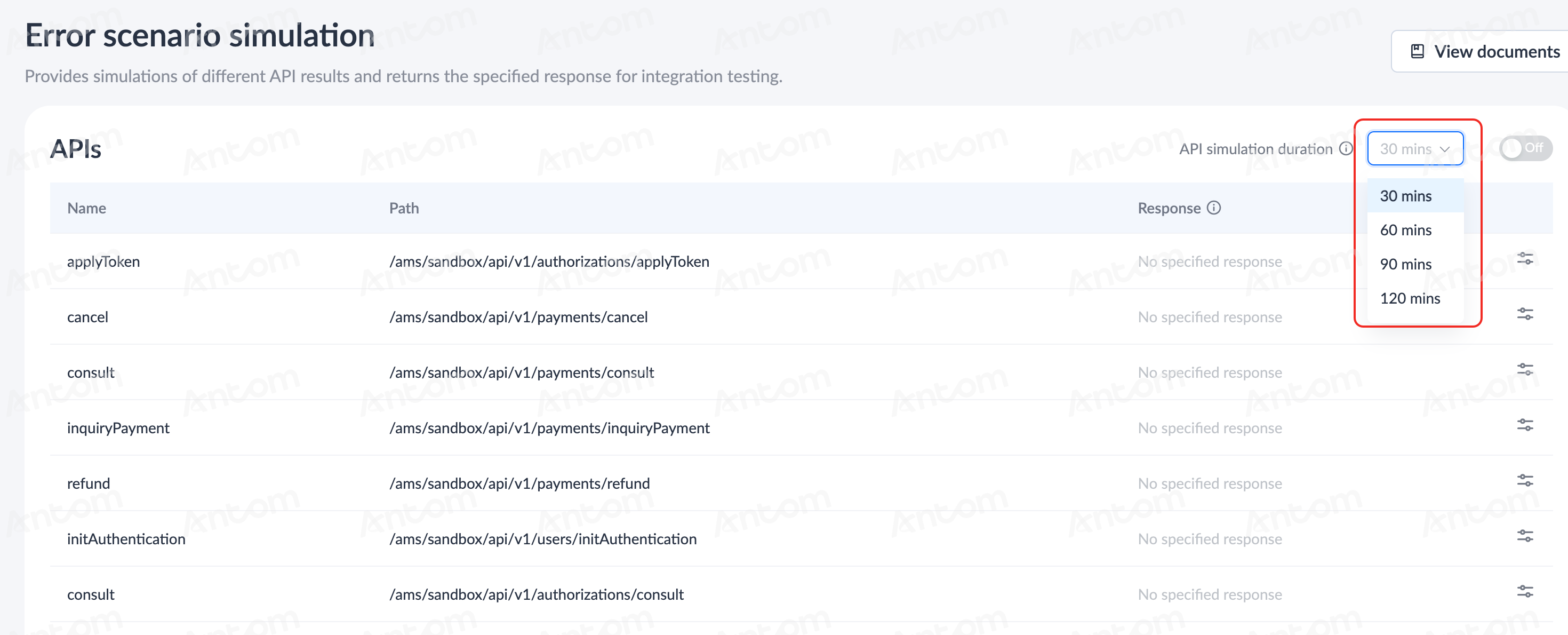
API simulation duration
Once you set a specific time duration (30 min, 60 min, 90 min, or 120 min) for API simulation duration, the simulation of API calls with the specified error scenario will automatically conclude when the set duration expires.
After you specify a response, the specified response is always returned for the corresponding API when the API simulation is turned on. For details about API simulation process, see API call simulation.