
Company account
Company account is the top-level management unit within Antom Dashboard. Serving as a unified operational entry point at the company level, it allows centralized management and activation of multiple Antom services, such as direct acquiring and Antom Payment Orchestration (APO), through a single email address. This enables resource coordination, centralized permissions, and efficient collaboration across different business lines.
Key features
Through a redesigned account structure, Antom Dashboard is designed to provide you with an efficient, secure, and streamlined management experience. The key features are as follows:
Two-tier structure
Antom adopts a two‑tier structure consisting of a company account and merchant accounts, enabling clear separation between management oversight and business execution:
Tier | Name | Description | Functions |
Tier 1 | Company account | A unified operational unit at the company level | Global view management, multi-business coordination, unified permission configuration, etc. |
Tier 2 | Merchant account | The smallest execution unit at the business level | Specific business operations, such as enabling payment methods, transaction reconciliation, invoice issuance and download, etc. |
Centralized management
After upgrading to a company account, you can centrally manage multiple Antom services, such as direct acquiring and APO, through a single email address without switching between different email accounts. The upgrades to the management features are shown in the table below:
Dimension | Before the upgrade | After the upgrade |
Business expansion | Required to register with a new email for new businesses. | One-click activation of multiple Antom services under the company account. |
Login method | Required to log in with multiple emails for different merchant accounts. | Log into your company account using a single email and switch with one click between merchant accounts for different businesses. |
Data view | Dispersed view of independent data for each merchant account. | Unified view of aggregated business data across all services. |
Permission management | Permission configured independently for each business line. | Unified assignment of operator roles and permissions at the company account level. |
Account upgrade
Upgrade your existing Antom or APO merchant account to a company account to gain centralized control over your businesses. Please follow the steps below to complete the upgrade process:
Note: Before proceeding, please ensure you already have a merchant account for either Antom or APO.
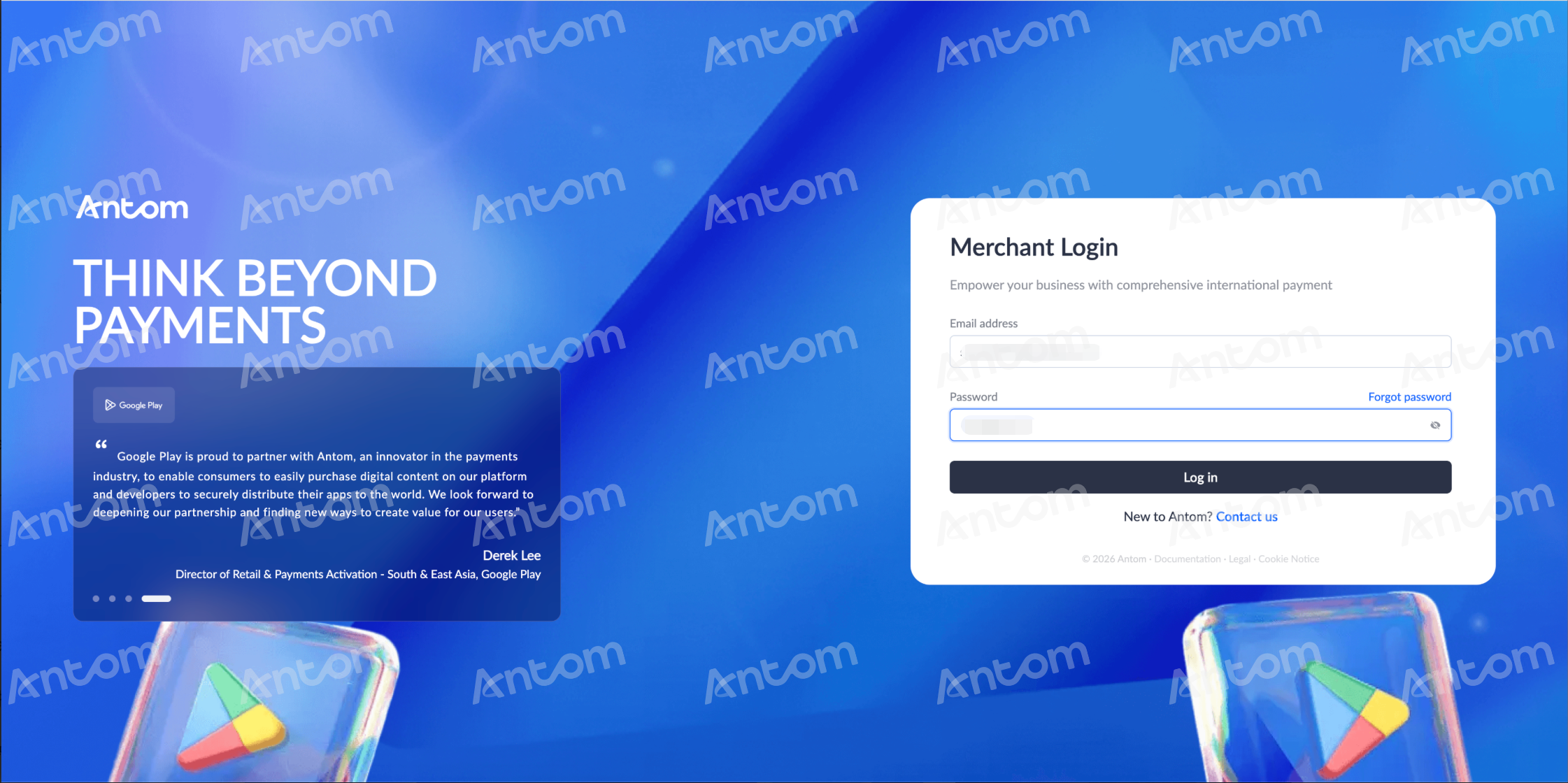
Step 1: Log in via a merchant account
Log in to Antom Dashboard using your existing merchant account email address.
Step 2: Create a company account
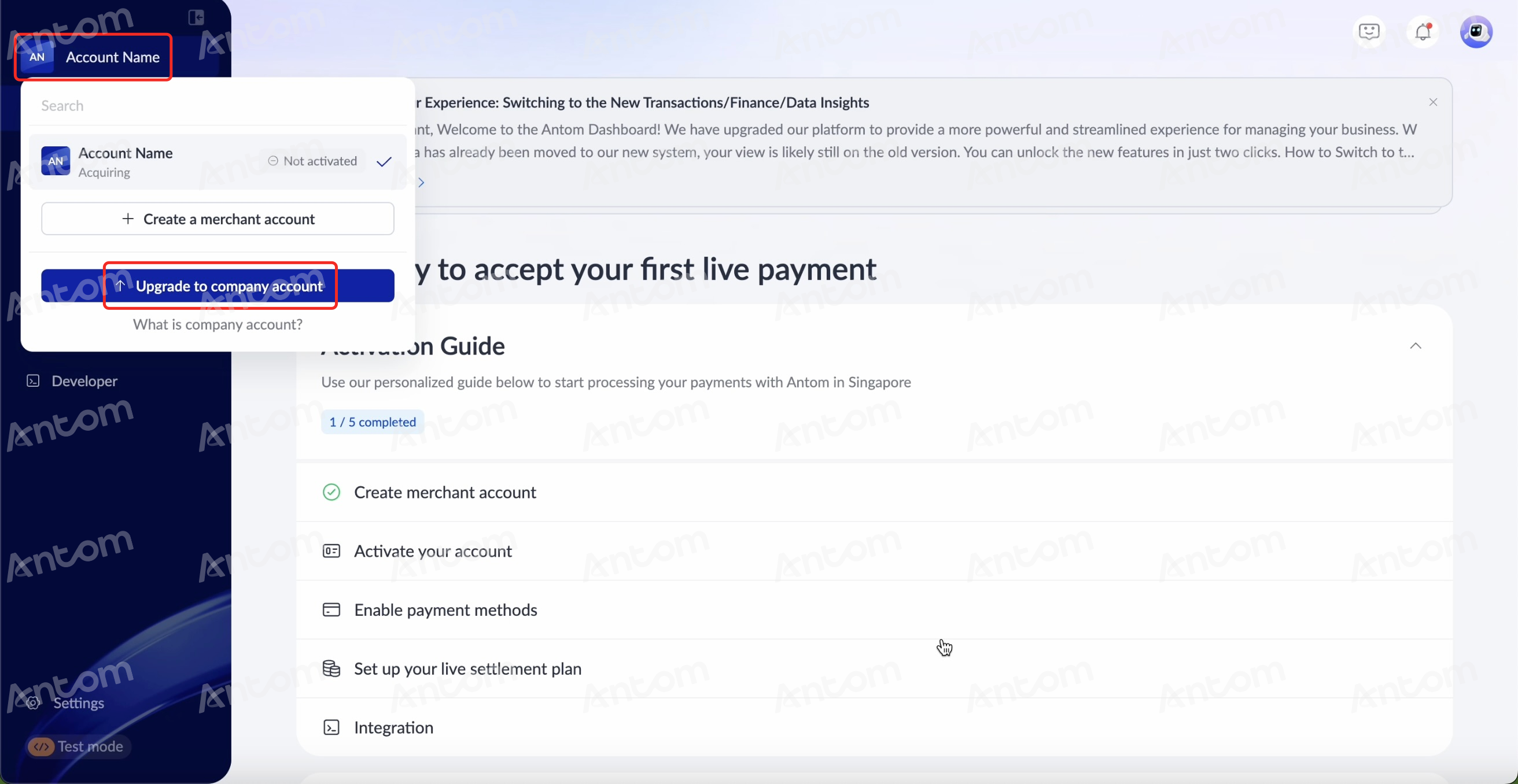
- On the Antom Dashboard homepage, click the merchant account name in the upper‑left corner. The merchant account list pops up.
- In the merchant account list pop‑up window, click Upgrade to company account. The Newly upgraded company account pop-up window appears.
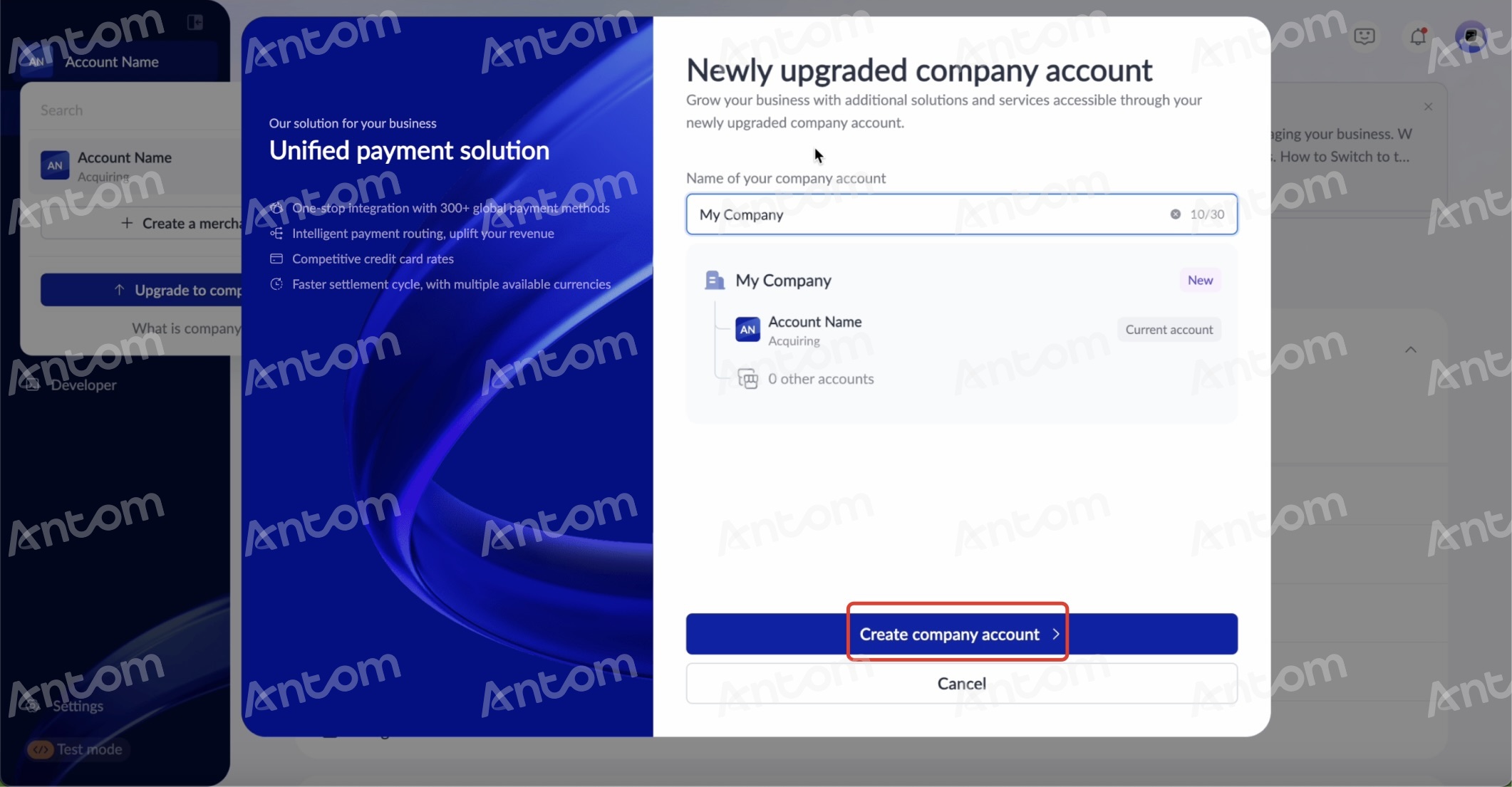
- In the Newly upgraded company account pop-up window
- Customize the Name of you company account.
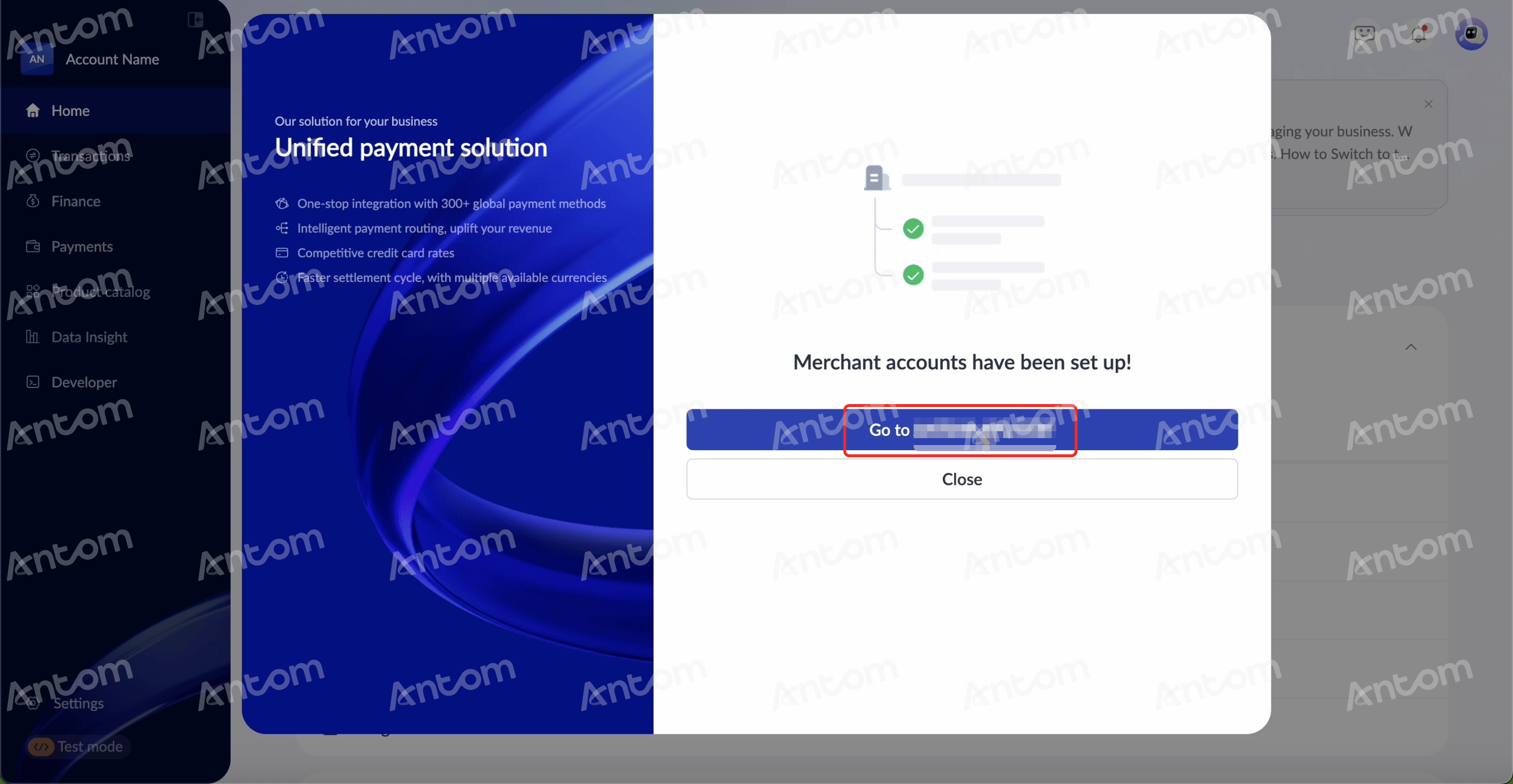
- After confirming the information, click Create company account to automatically set up the company account structure. A completion pop‑up window appears.
- In the completion pop-up window, click Go to (account name) to finish your company account creation.
|
|
Step 3: Manage your accounts
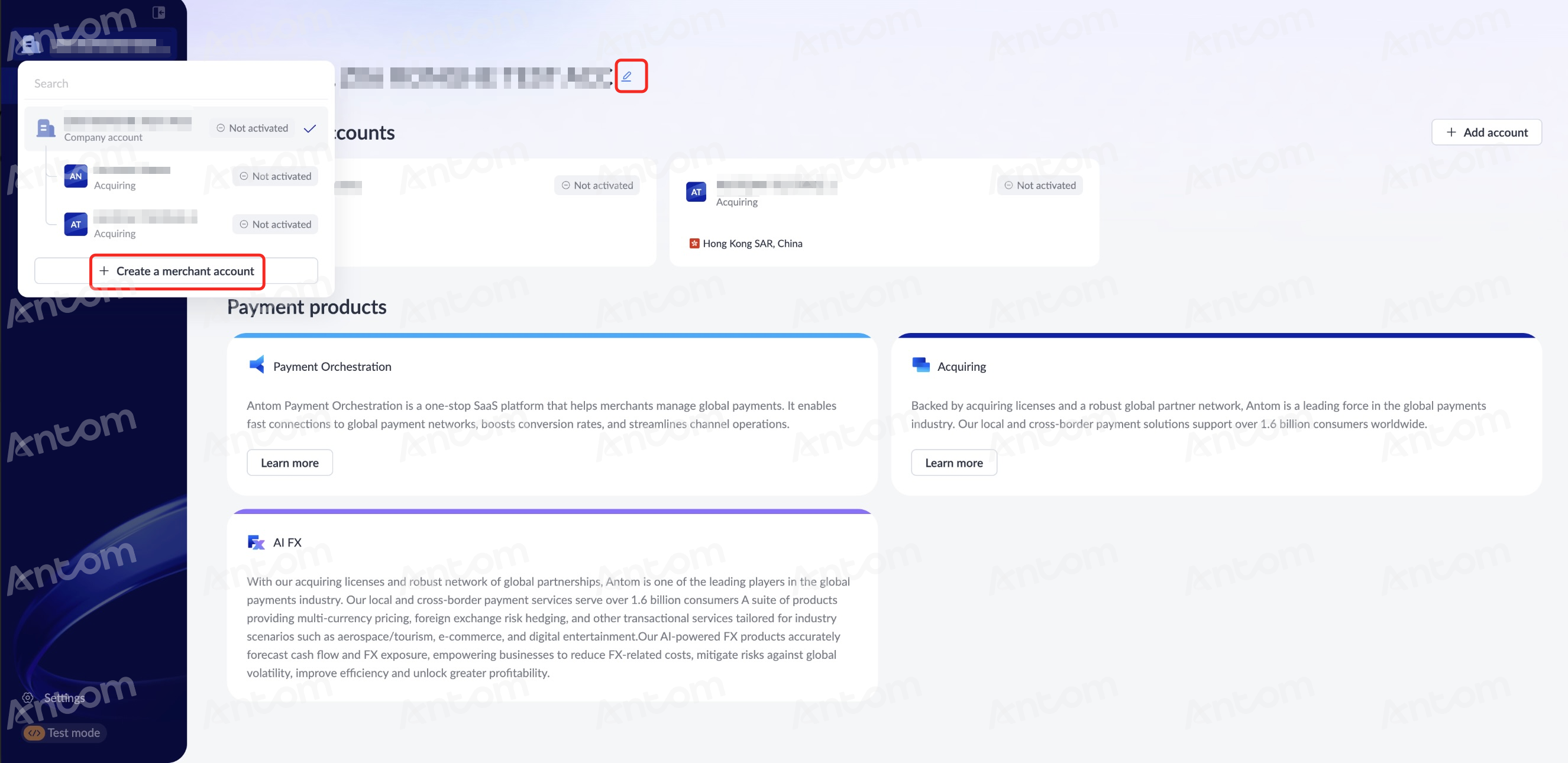
After a successful upgrade, you can centrally manage you company account and merchant accounts in the following ways:
- Update company account name: Click the edit icon to modify your company account name.
- Manage merchant accounts: Manage and oversee existing merchant accounts and add more merchant accounts as needed under your company account.
Note: A single company account can contain up to 20 Antom or APO merchant accounts. The Create a merchant account option will be disabled if you have hit the merchant account upper limits.
For more information, please refer to the Company account FAQs.