
API call simulation
API call simulation helps developers debug interfaces in the test mode.
Before you start
Before conducting the API call simulation, log in to Antom Dashboard, enter the Key configuration page, and configure settings for the sandbox environment. For specific steps, refer to API key configuration.
Note: Instead of using API call simulation, you can also download Postman scripts to debug locally.
API call simulation
To test an interface integration, complete the following steps:
- Log in to Antom Dashboard. Go to Developer > API call simulation. In the configuration request tab, select the specific API and product you need to test. For example:
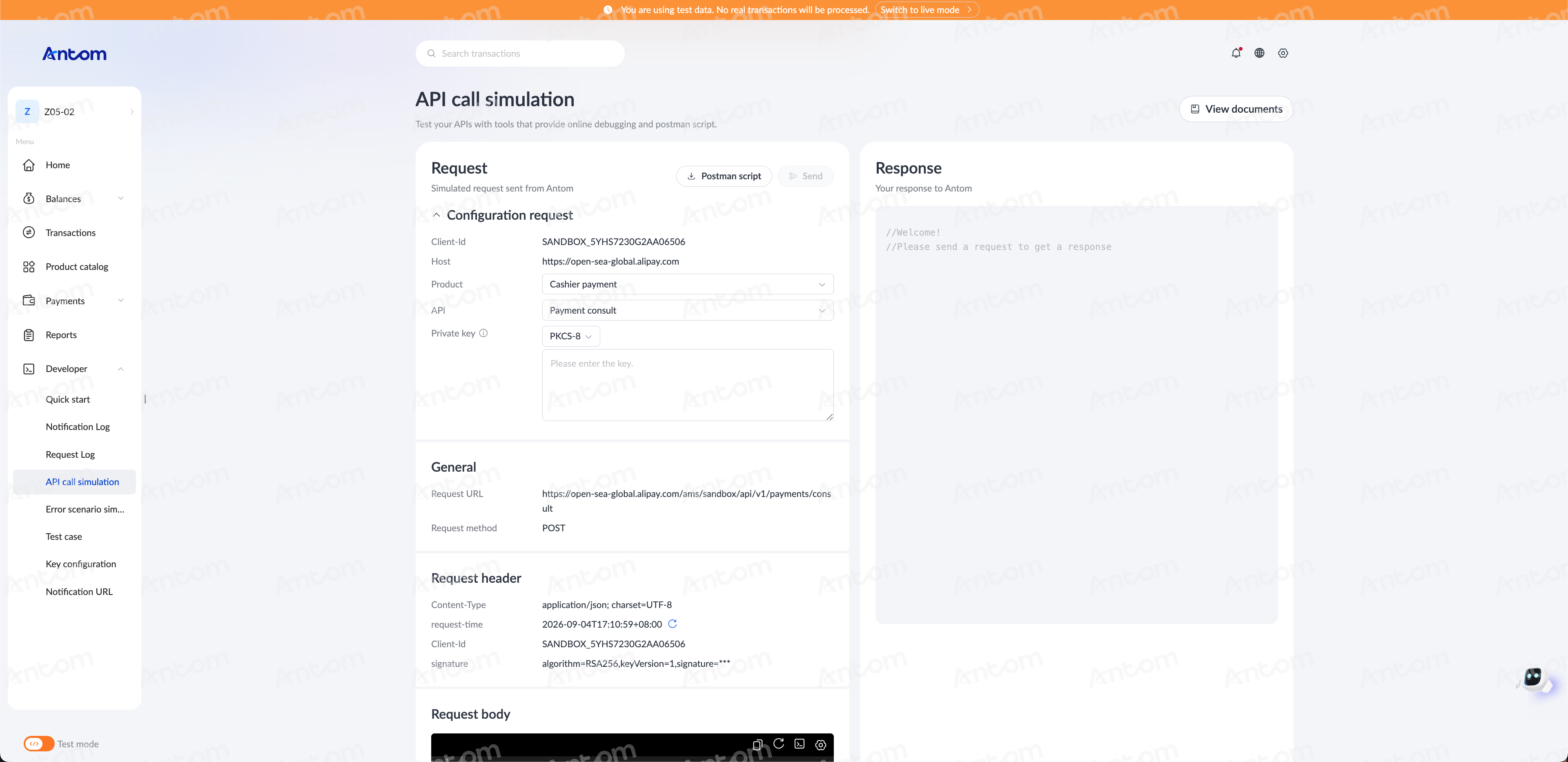
- Enter your private key. The platform will not save your private key.
- (Optional) Edit the request message in the Request body field.
- Click Send to send the request.
- After the request is sent, the response message is then displayed in the Response tab on the right side of the screen.