Risk lab
Risk lab provides you with comprehensive investigation capabilities, from rule pre-execution simulation to organized fraud rings analysis. It accurately evaluates strategy effectiveness through historical data simulation and combines AI-powered analysis for efficient handling of organized fraud. Risk lab supports the following key features:
- Smart simulation: Supports combined simulation experiments based on historical transaction data. The system automatically simulates execution within selected time periods and outputs key metrics such as matched rate and historical fraud rate comparison, enabling scientific evaluation of rule effectiveness and providing reliable basis for rule deployment. Refer to Smart simulation for more details.
- Fraud rings analysis: Automatically aggregates high-risk accounts and transactions to generate unique fraud ring ID, calculates impacted amounts and transaction metrics, and displays real-time group handling status for swift detection of organized fraud. It also offers AI-generated summaries (including key risk features, modus operandi, and matched records) along with visual relationship graphs. High-risk fraud rings involving mediums (IP, device, bank card, etc.) can be blocked with one click, enabling end-to-end handling of group risks. For details, see Fraud ring detection.
Note: This feature is only available for Antom Shield Pro version merchants.
Smart simulation
The smart rules simulation feature uses historical data to simulate rule application, allowing observation of rule performance in real transaction scenarios.
In each simulation experiment, you can configure up to 20 rules. The system will automatically simulate the execution of these rules within a selected historical period and output key metrics such as matched rate and historical fraud rate comparison, assisting in the scientific evaluation of rule effectiveness and supporting pre-deployment decision-making.
The specific steps of smart simulation are as follows:
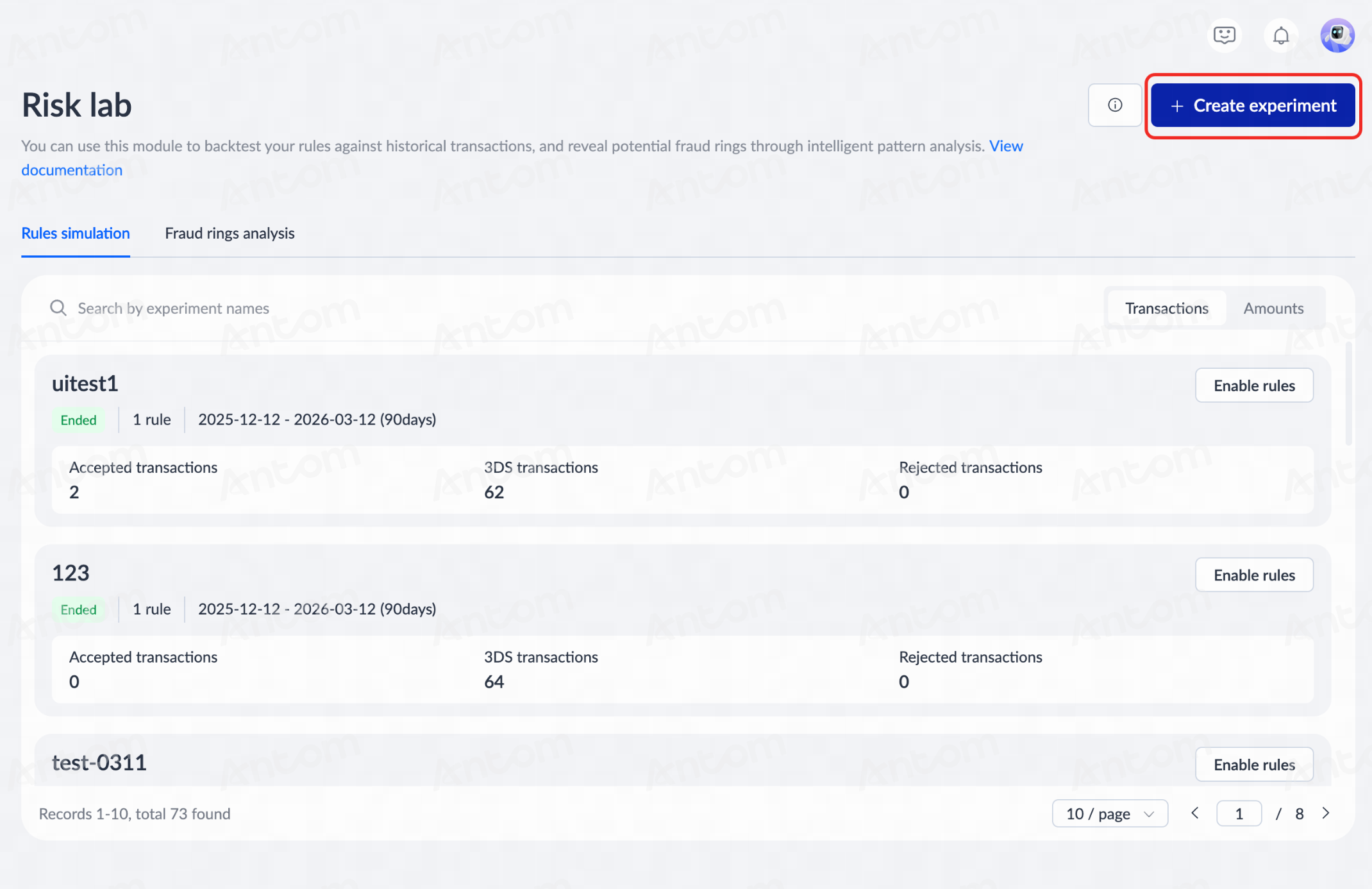
- Navigate to Shield > Risk lab > Rules simulation, and click Create experiment to enter the details page.
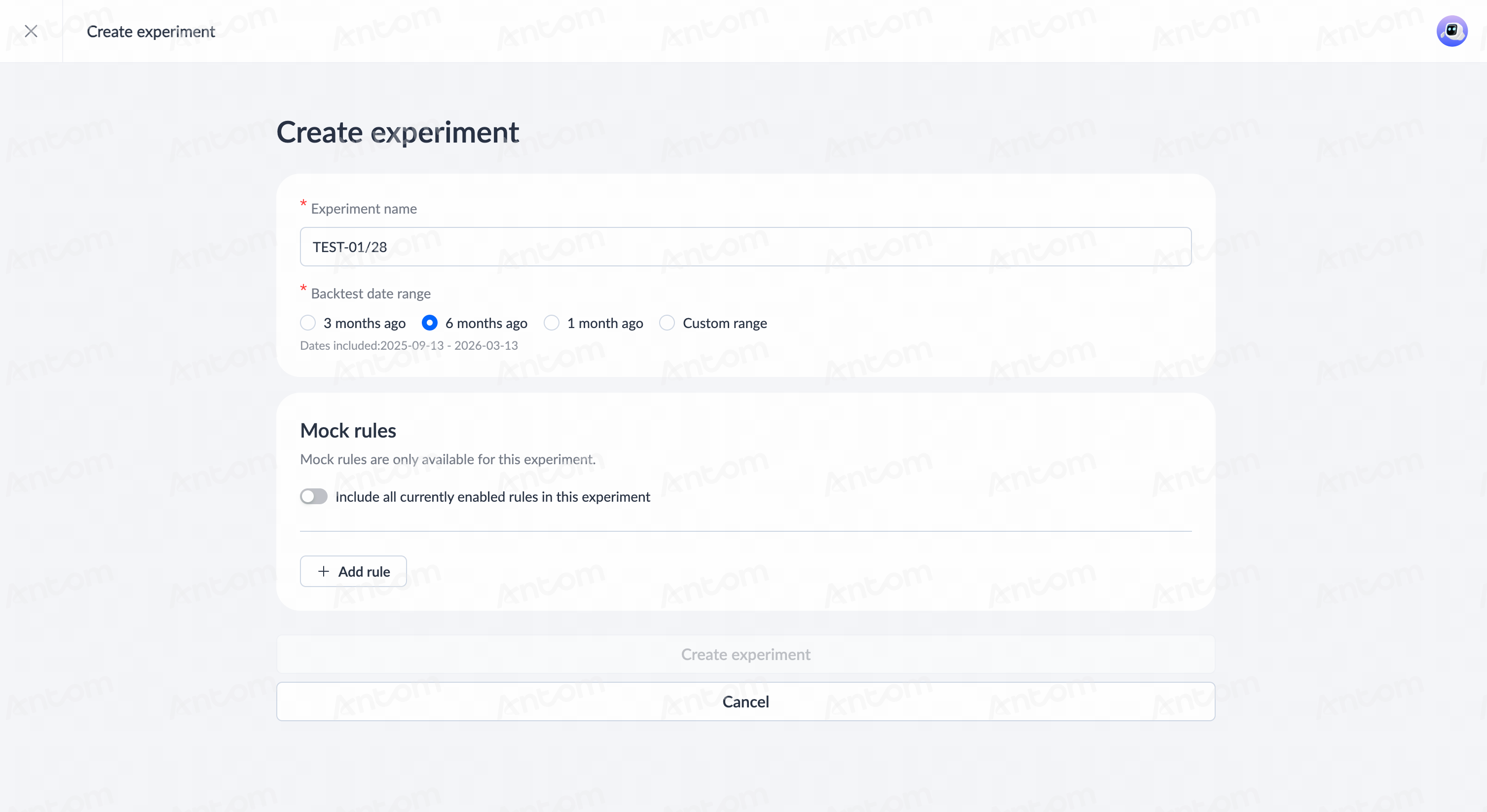
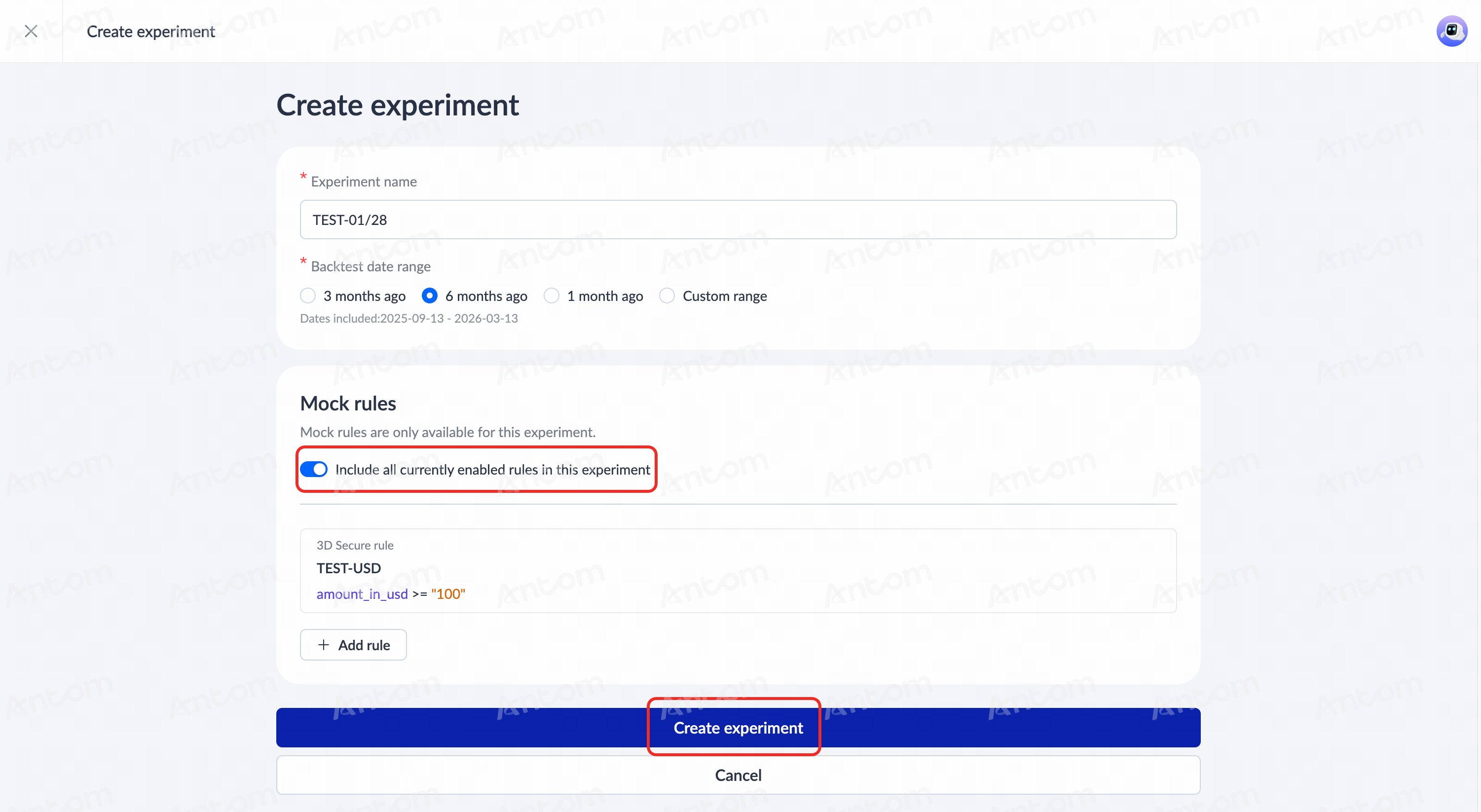
- On the Create experiment details page, fill in the basic experiment information (including Experiment name, Backtest date range, etc).
Note: It is recommended to select a Backtest date range exceeding 90 days. This ensures the sample covers diverse business scenarios, thereby enhancing the accuracy and representativeness of the simulation results.
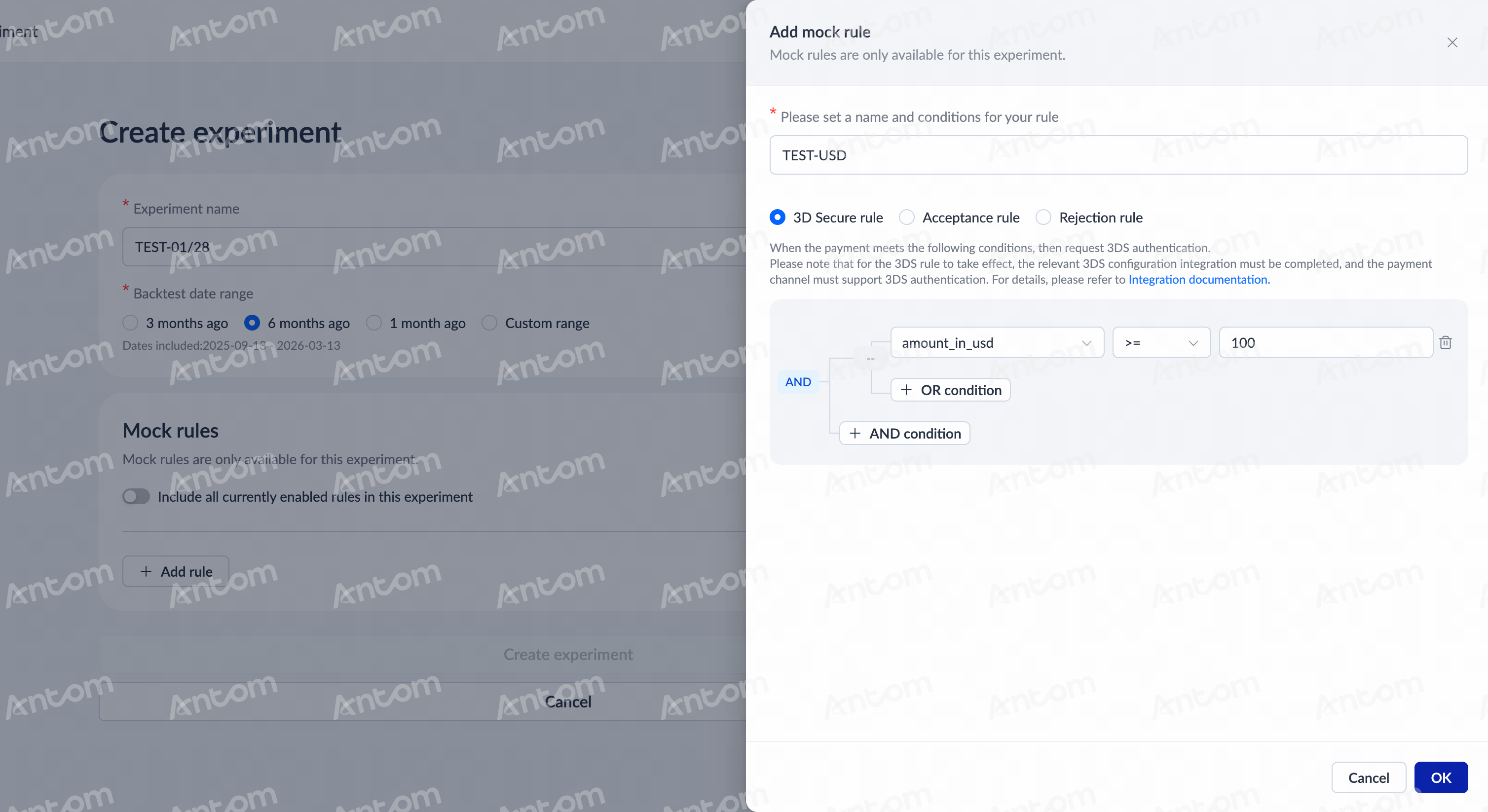
- Click Add rule to include new simulation rules. For configuration details, please refer to Rules. Click OK to complete rule creation.
Note: You may manually add one or multiple rules to test (up to 20), with flexibility to combine different rule conditions. Once created, these rules will be automatically configured into the current simulation experiment.
- After configuring the rules, you may choose to enable Include all currently rules in this experiment to import all currently active rules into the simulation, enabling comprehensive evaluation of interactions between simulated and live rules.
- Verify the basic information and rule variables. After confirming they are correct, click Create experiment. The system will start running the simulation. The process may take some time; please wait patiently.
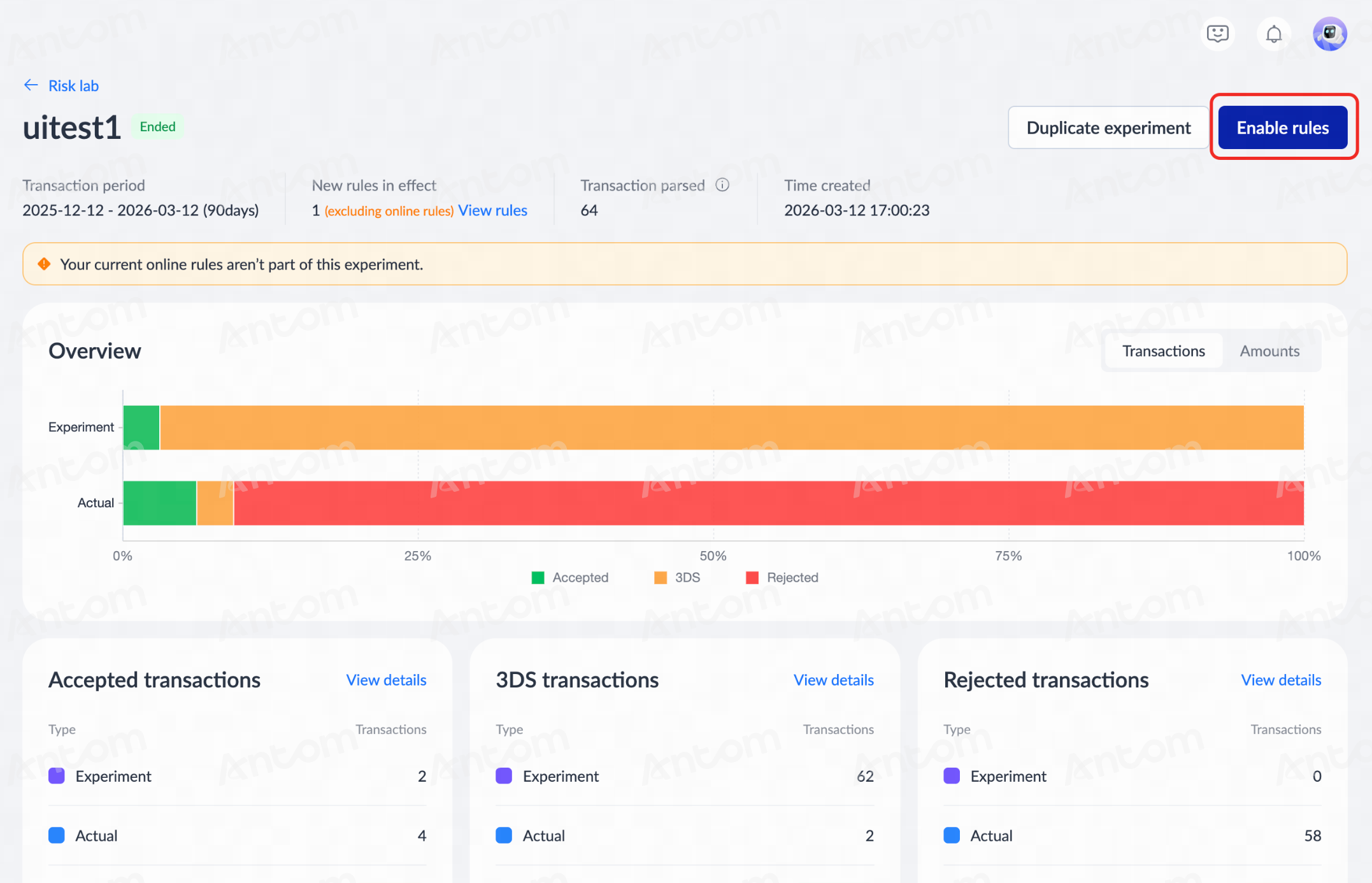
- Once the simulation is complete, you can take an overview of results on the Rules simulation page, or click an experiment entry to access the full analysis report.
The report includes the following sections:
- Experiment and Actual Results: The system compares the simulation results with those of actual rules, highlighting differences in key metrics such as Accepted, 3DS, and Rejected rates.
- Accepted transactions, 3DS transactions, and Rejected transactions: Displays the execution results under simulated conditions, including transactions and amounts for each transaction type. Click View details to see matching rules and decision distributions.
- Fraud and Fraud dispute: Based on historical fraud data, statistics show fraud identification during the simulation. Click View details to explore fraud analysis.
|
|
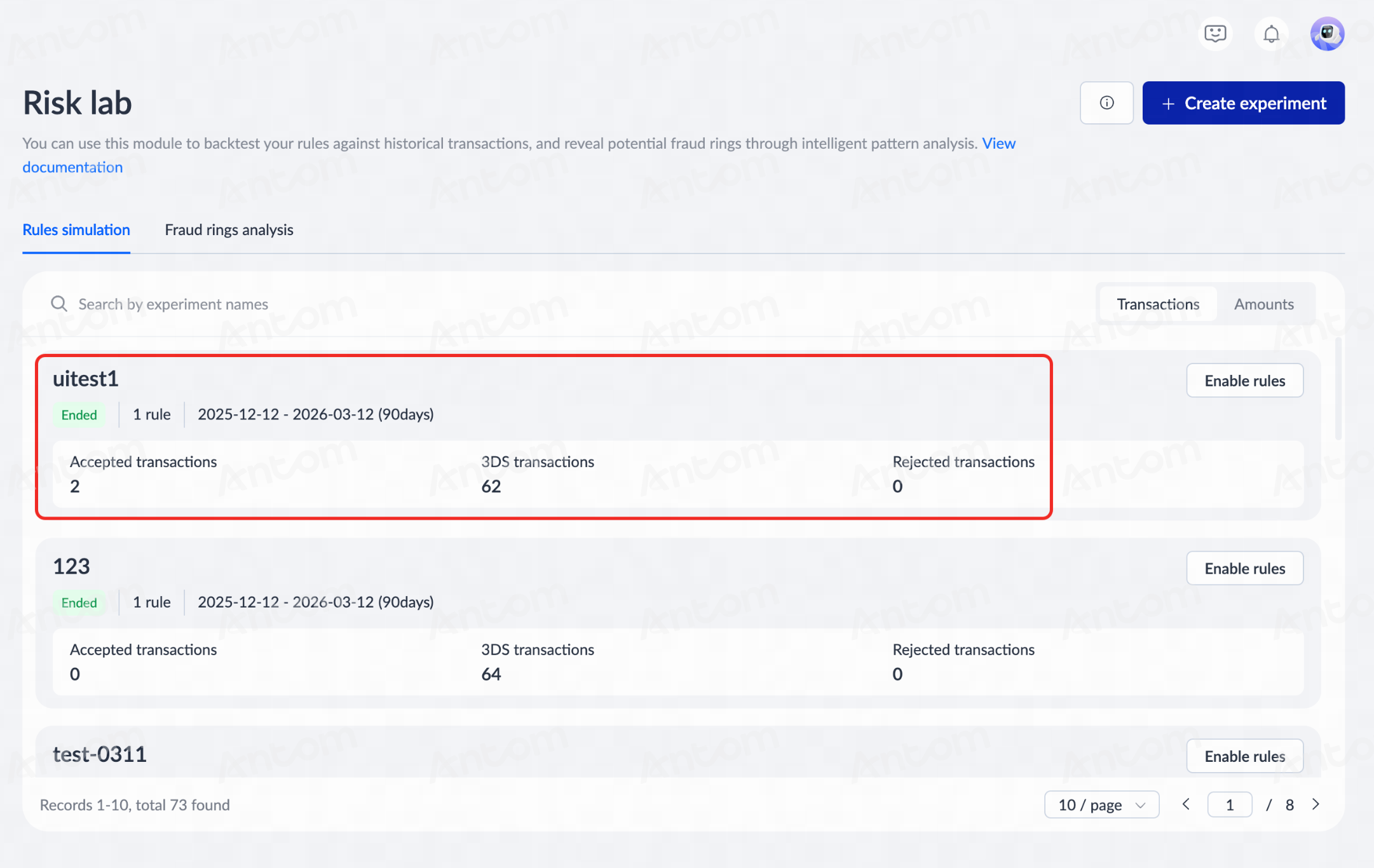
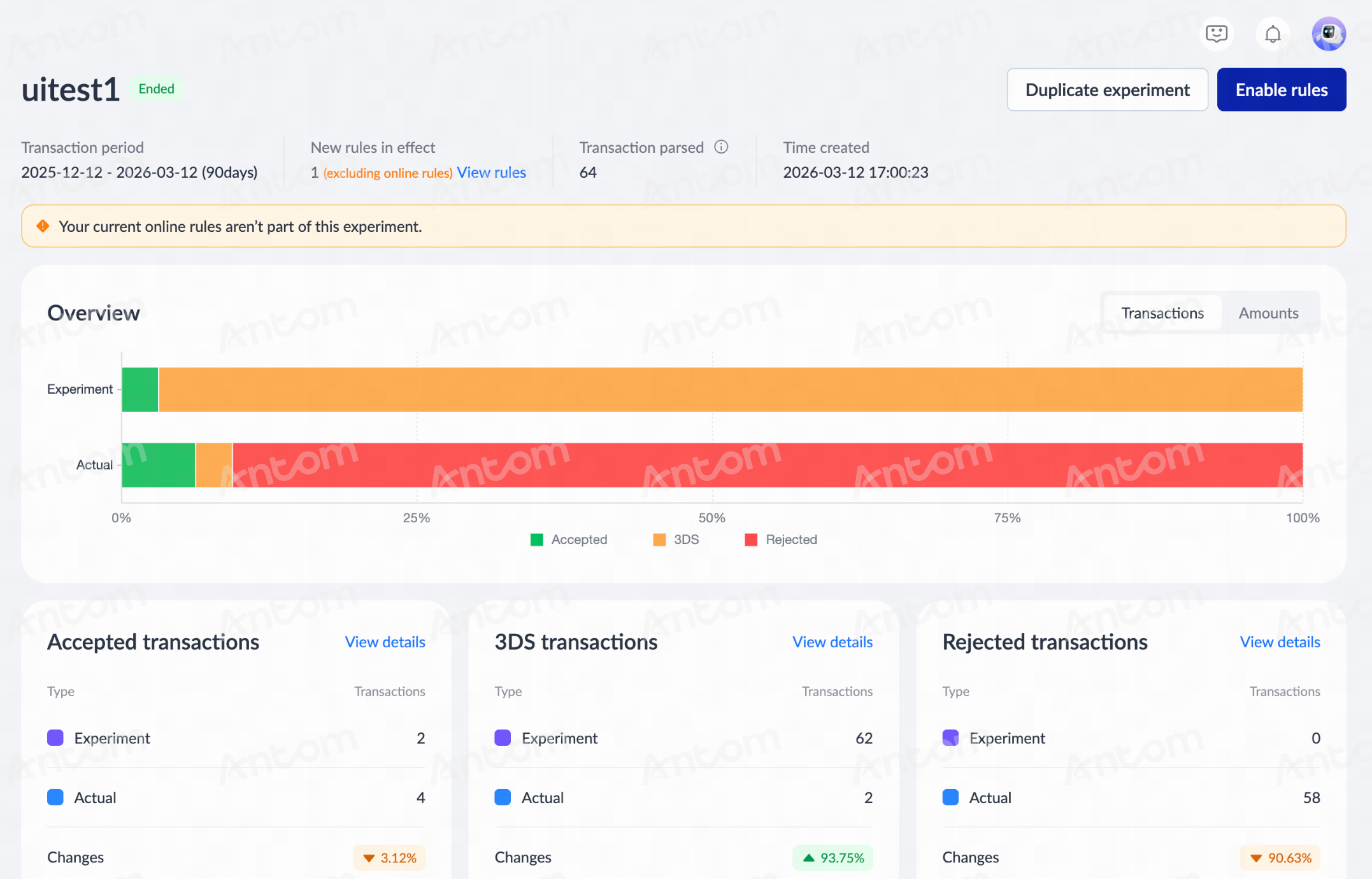
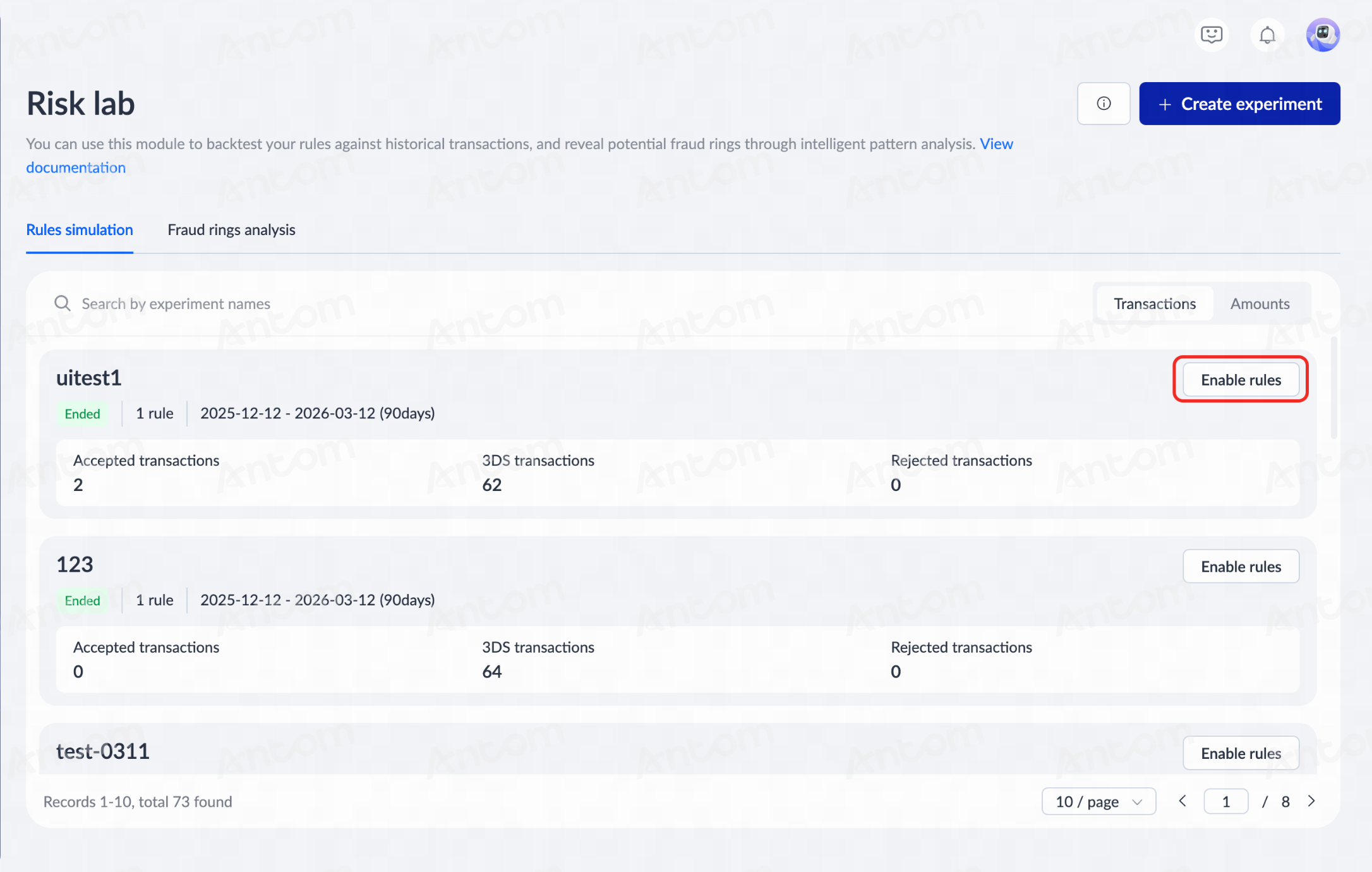
- If the rule is confirmed to be effective, you can proceed with Enable rules from either the Risk Lab > Rules simulation page or the experiment report details page. After the rule is enabled, you can view the rule status and performance data on the Smart engine > Rules page.
|
|
Notes:
- To ensure simulation quality, it is recommended that your account has accumulated at least 90 days of historical transaction data before using this feature.
- If a rule has no hit records in the simulation, check if its matching conditions are set too strictly or if there are any configuration errors.
- If the experimental results do not meet expectations, you can click Duplicate experiment, adjust the rule conditions or parameters, and rerun it for continuous iterative optimization.
- Smart simulation is a crucial tool for optimizing risk control strategies. It is recommended to comprehensively evaluate the impact of rule adjustments on business security and conversion rates by combining data in Matched records and Risk insight.
- All simulation tests are conducted in an offline environment. They will not affect live transactions until the rules are officially configured.
Fraud rings analysis
This function is designed to automatically identify and analyze suspicious organized fraudulent activities. Antom Shield aggregates related accounts and transaction information to generate fraud ring ID and calculates the total transaction amount and count involved for reference and further action.
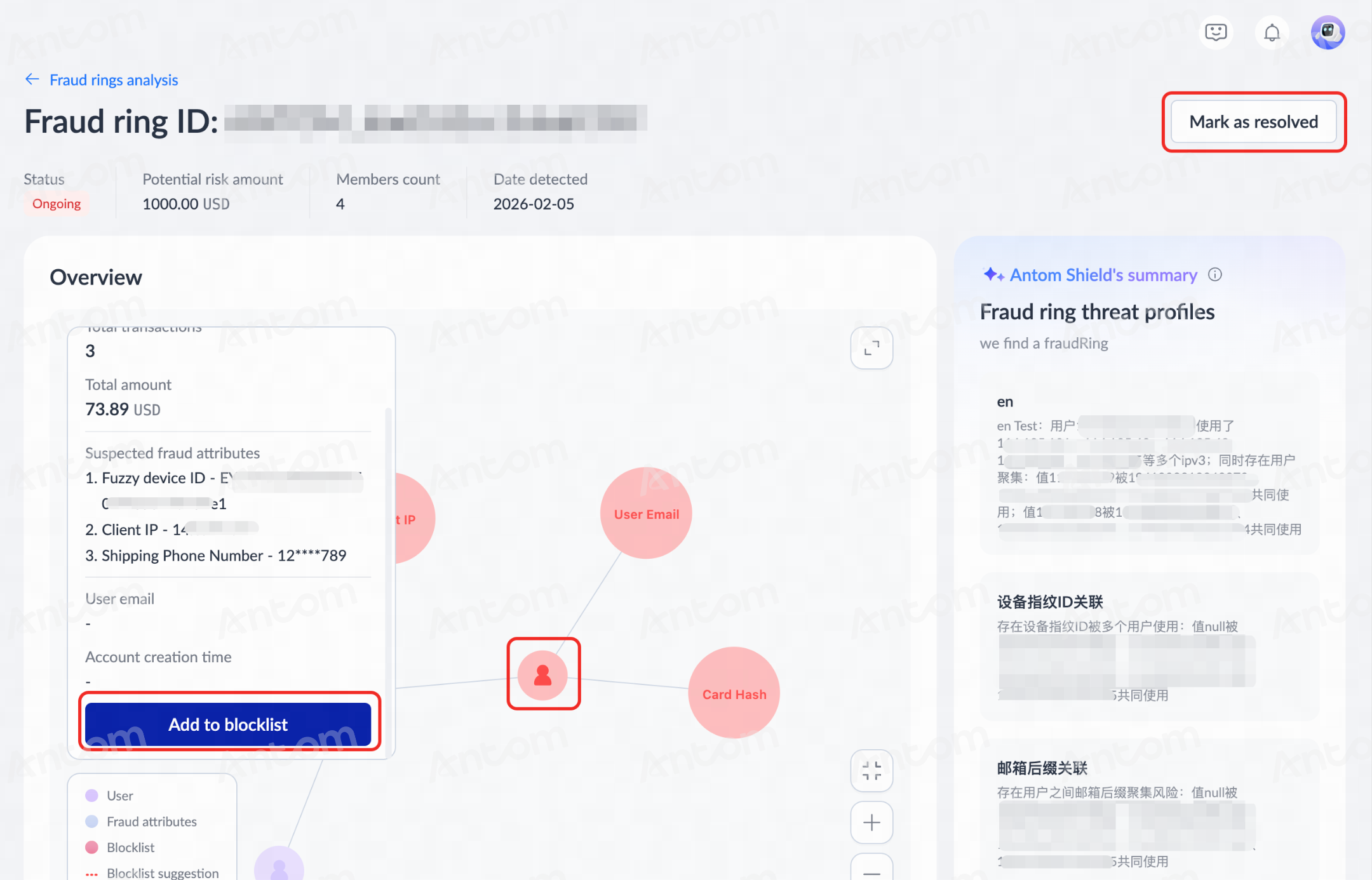
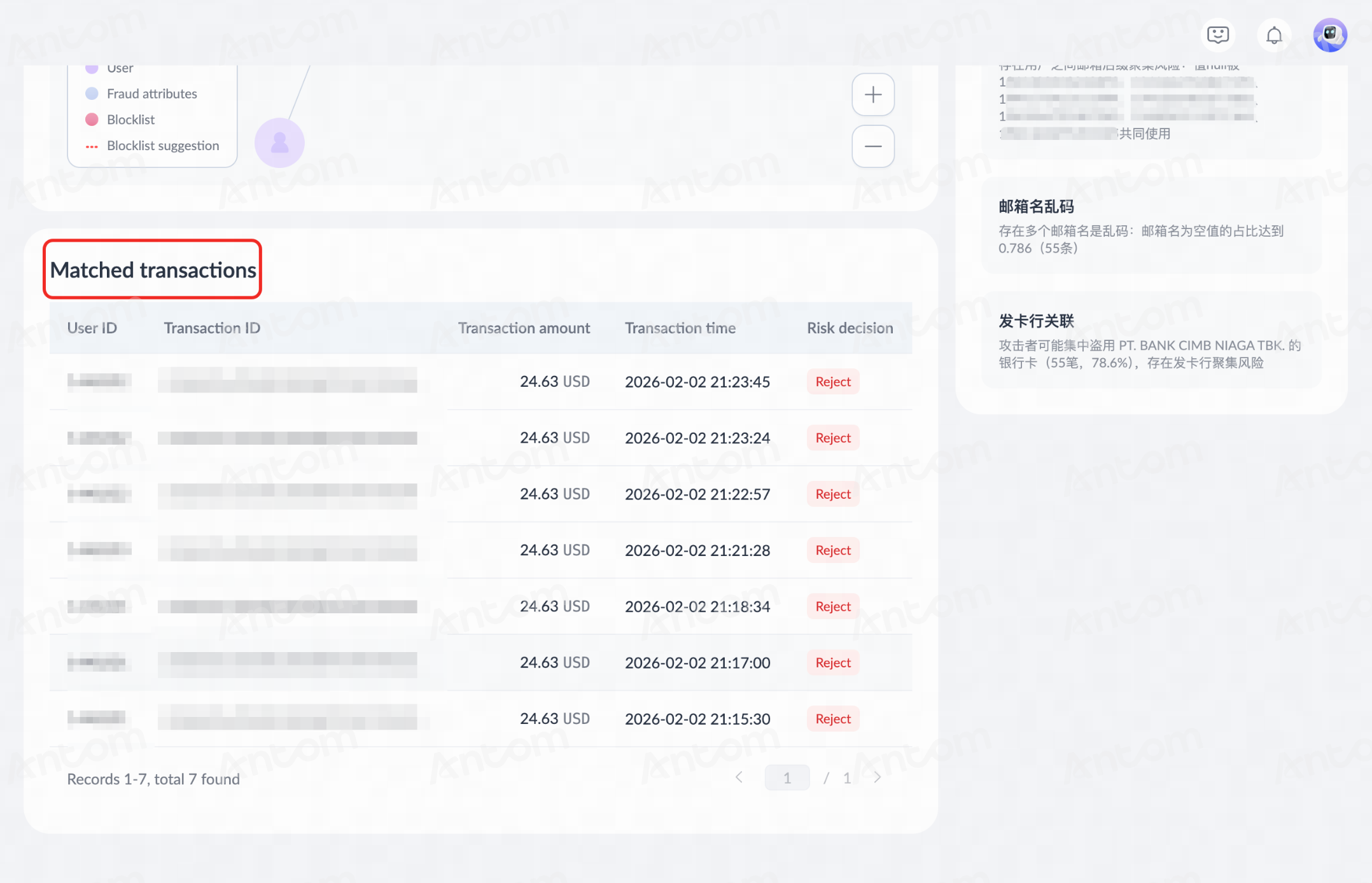
Navigate to Shield > Risk lab > Fraud rings analysis, and click a fraud ring entry to access the analysis details page. On this page, you can perform the following operations:
- View information:
- View fraud ring risk analysis: See the AI-generated Antom Shield's summary, including key risk characteristics (IP, device, bank card, etc.) and modus operandi.
- Check individual transaction details: Click entries in the Matched transactions column to access detailed transaction pages.
|
|
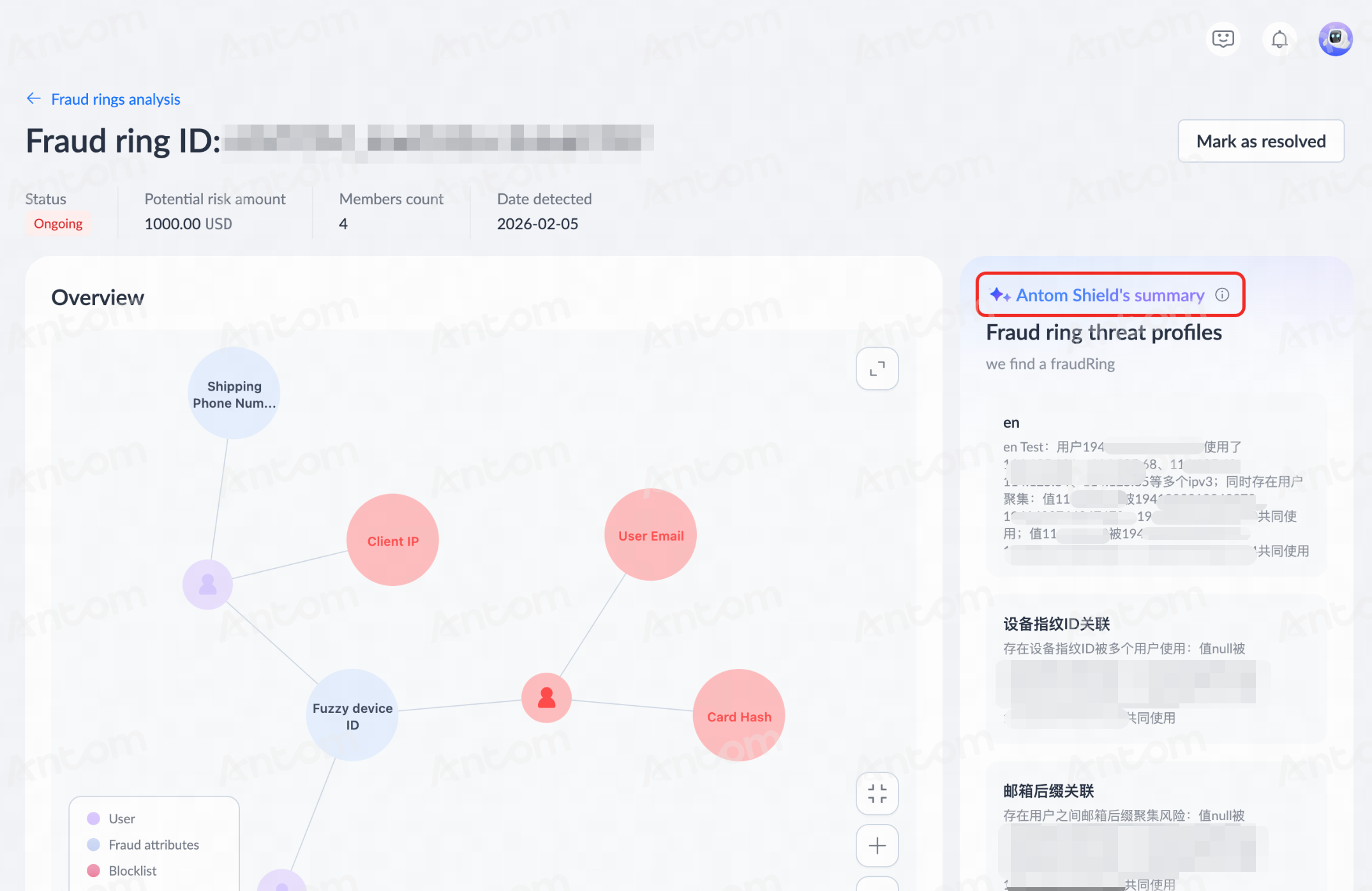
- Confirm information: Based on the risk characteristics and recommendations provided by Antom Shield, review the fraud ring graph to confirm associated key nodes such as IP, device, or bank card.
- Blocklist operation: Click Add to blocklist to block frequently appearing high-risk mediums (IPs, cards, etc.) involved in multiple suspicious transactions.
- Resolution: After adding items to the blocklist, click Mark as resolved to complete the group handling process.