
Accept payments with Google Pay
Through the Google Pay service, buyers can make payments using the credit or debit cards stored in their Google Pay accounts. When using the Native API method, the merchant frontend needs to directly integrate the Google Pay SDK. After obtaining the card asset information, call Antom’s pay (One-time Payments) API to initiate payment. For details on integrating the Google Pay SDK, refer to Google Pay for Payments (Web) or Google Pay for Payments (Android).
User experience
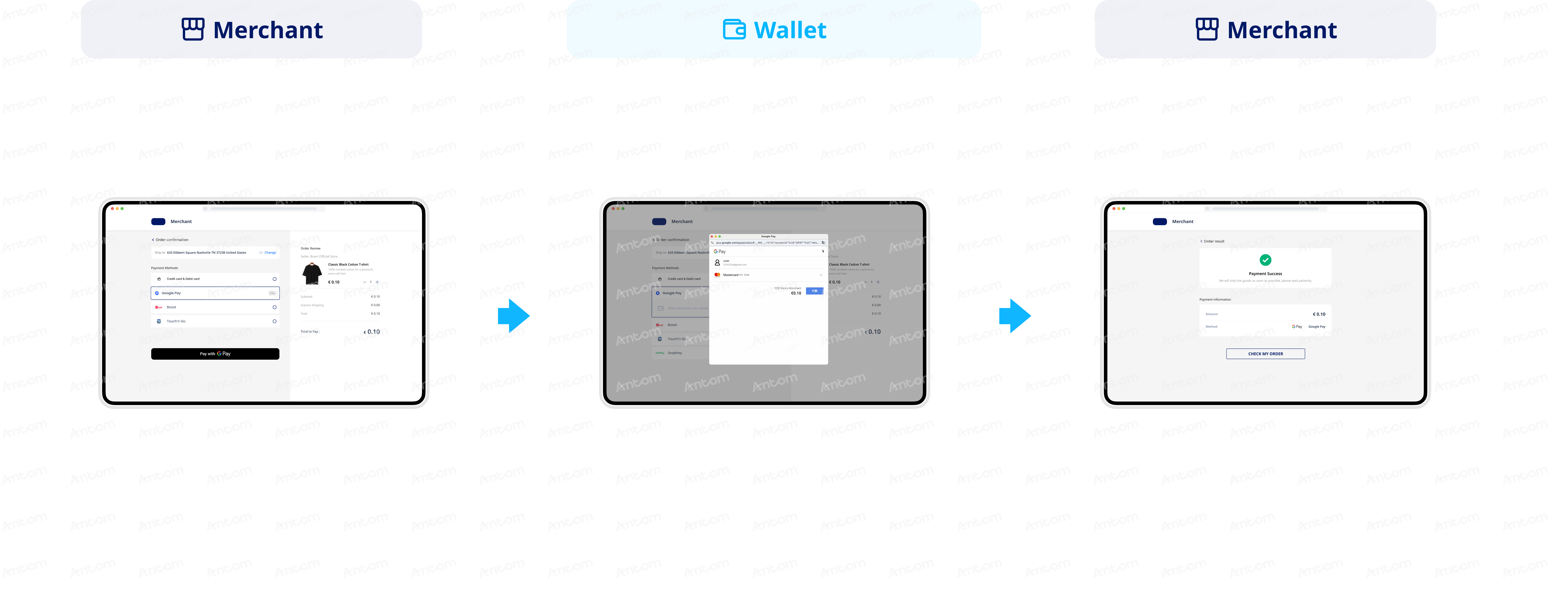
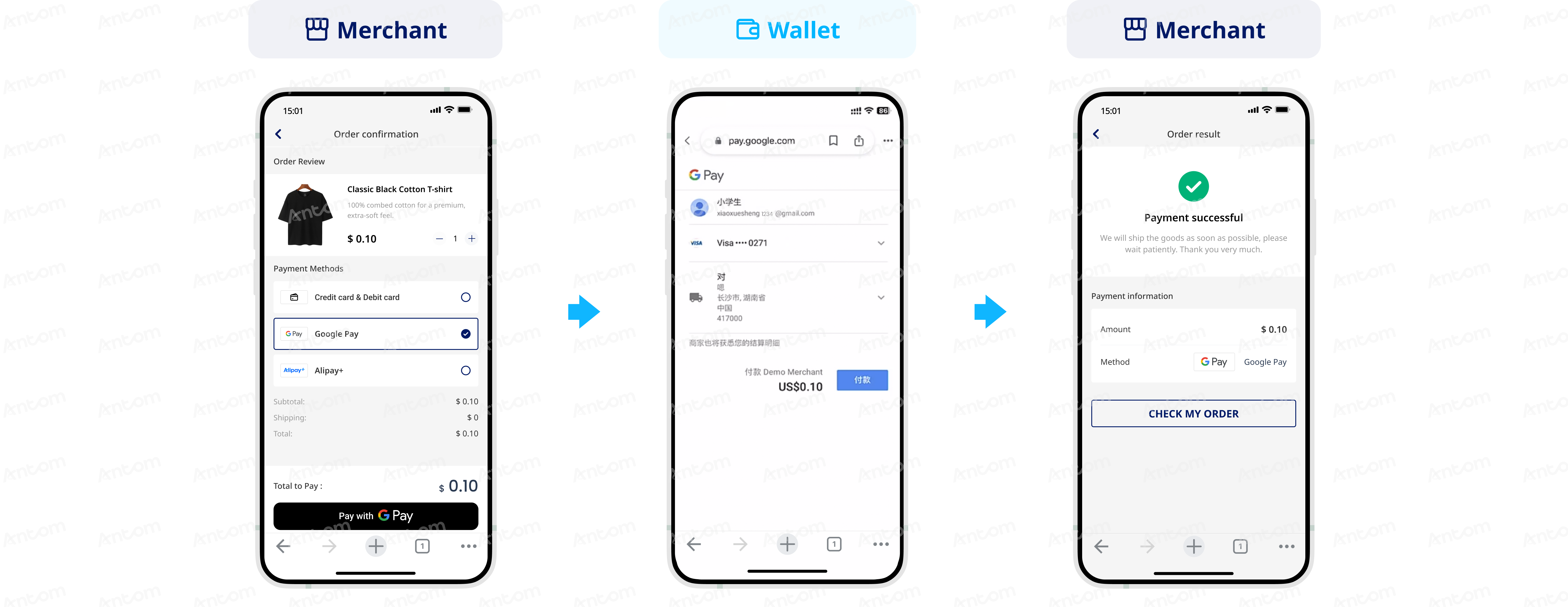
The following figures demonstrate the user experience of paying with Google Pay:
Web
Mobile
Integration preparations
Before you start integrating, read the Integration Guide and API Overview documents to understand the integration steps of the server-side API and the precautions for calling the API. Furthermore, ensure that the following prerequisites are met:
- Obtain a client ID
- Complete the key configuration
- Complete the configuration of paymentNotifyUrl to receive the asynchronous notification
- Integrate the server-side SDK package, install the server-side library, and initialize a request instance. For more details, refer to Server-side SDKs.
Integration Steps
Follow these steps to start the integration:
- Decrypt paymentToken
- Initiate an authorized payment
- (Optional) Redirect to the 3DS authentication page
- Obtain the authorization result
- Capture
Step 1: Decrypt paymentToken
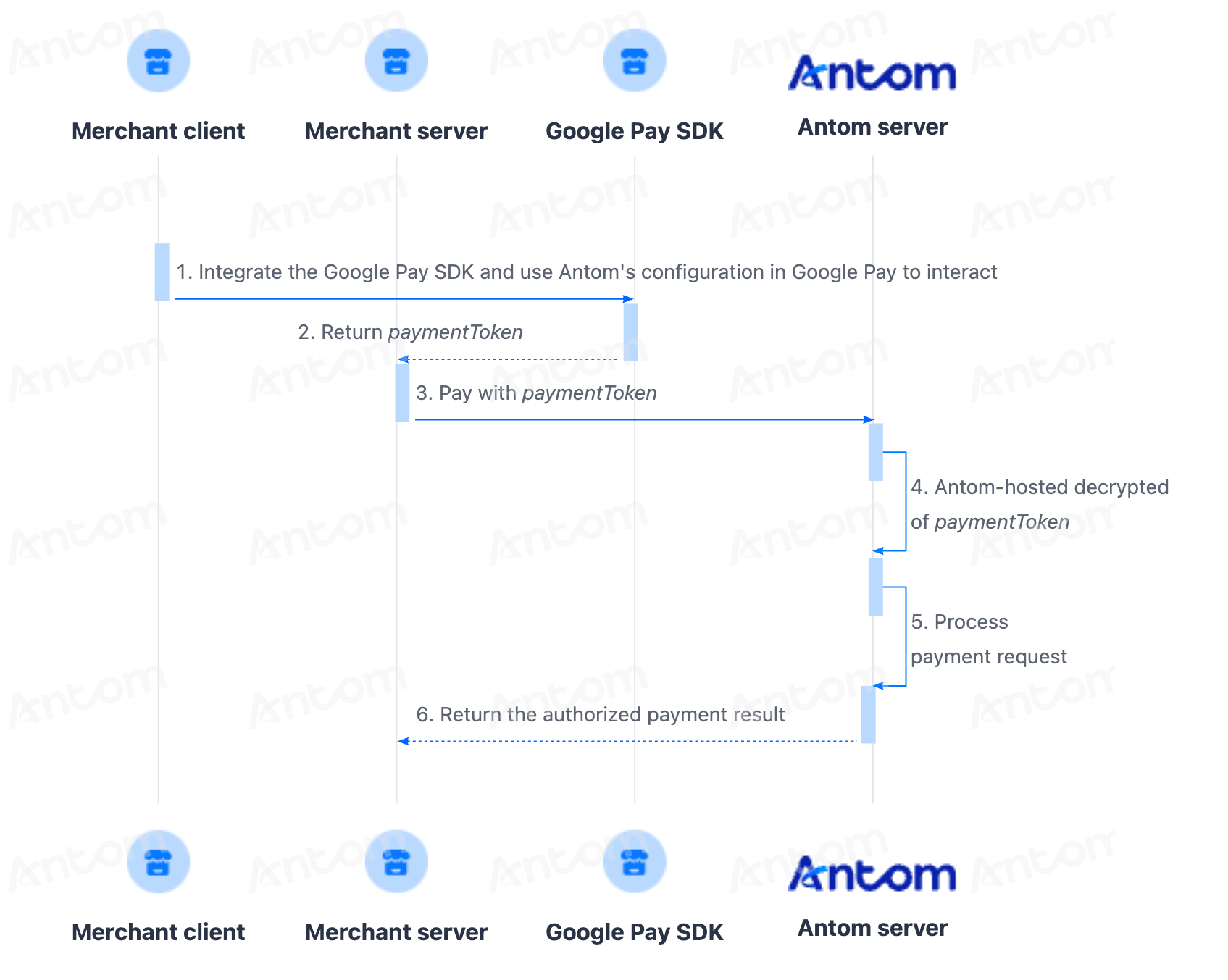
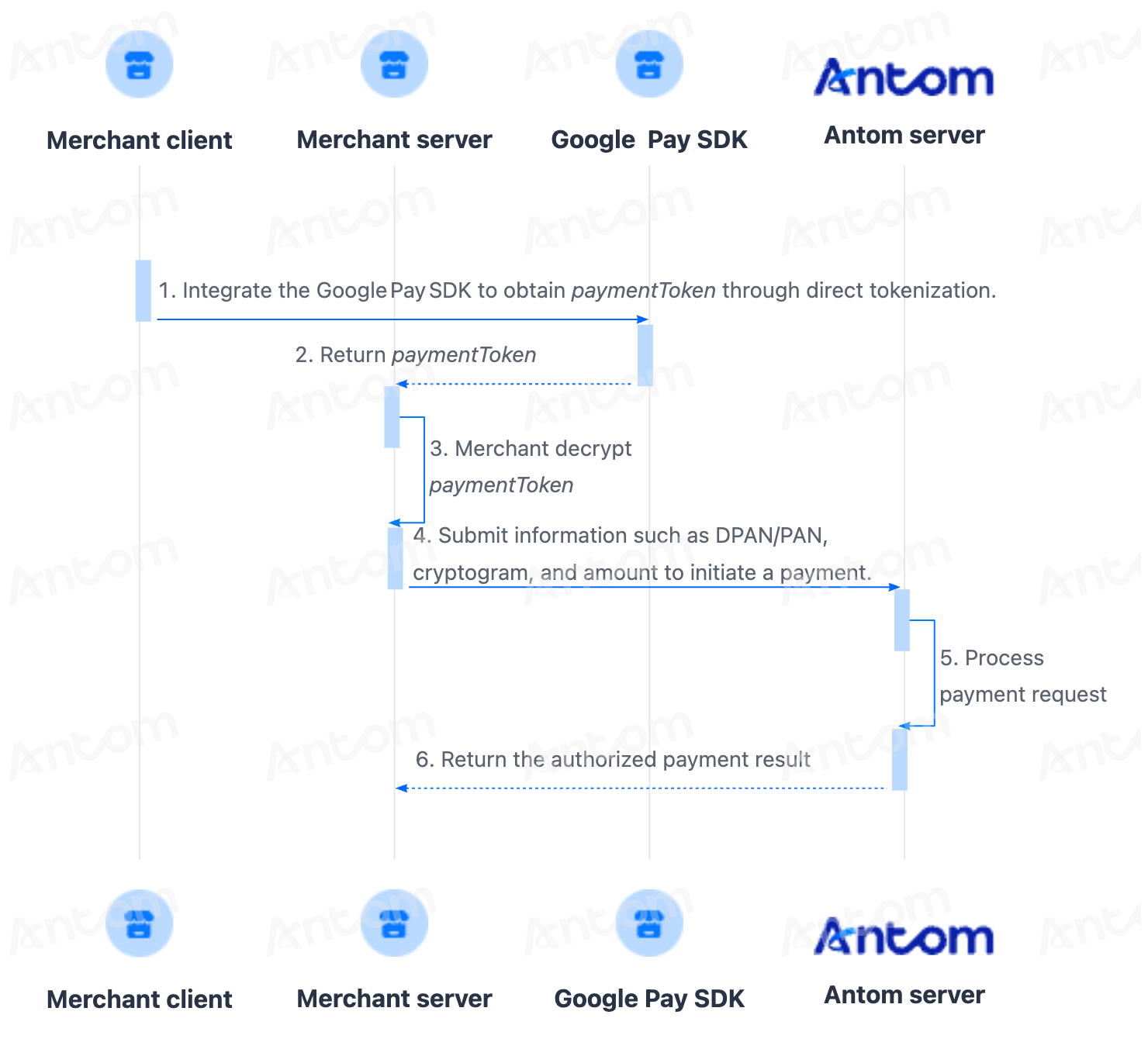
After you obtain paymentToken, you can choose one of the following methods to decrypt the token and call the pay (One-time Payments) API to initiate an authorized payment request.
- Hosted decryption: Antom manages certificates and performs decryption on your behalf, so you do not need to be PCI-qualified.
- Merchant decryption: You manage your own certificates and perform decryption operations yourself, and this mode requires that you are PCI-qualified.
Step 2: Initiate an authorized payment Server-side
The parameters required for initiating an authorized payment differ depending on the decryption method used. Refer to the corresponding instructions based on the decryption method you adopt.
Hosted decryption
Merchant decryption
(Optional) Step 3: Redirect to the 3DS authentication page Client-side
Once the merchant server obtains the normalUrl returned by the response of pay (One-time Payments), it should pass normalUrl to the frontend, which will then redirect the buyer to the 3DS authentication page. For details, see Step 2: Redirect to the 3DS authentication page.
For the processing logic and decision-making regarding 3DS authentication in Google Pay payments, refer to the 3D Secure 2 section of Card payment features.
Step 4: Obtain the authorization resultServer-side
After the buyer completes payment or the payment times out, you can obtain the payment result either by receiving asynchronous notifications from Antom or by proactively querying the result. For detailed steps, refer to Step 3: Obtain the authorization result.
Step 5: CaptureServer-side
After successful authorization, Antom will automatically initiate capture for you, or you can choose to initiate capture manually. After capture, you can obtain the capture result either via asynchronous notification or active query. You should decide whether to ship goods based on the capture result. For specific steps, refer to Capture.
After payments
Cancellation Server-side
For successful payments, if the buyer requests cancellation or a refund on the same day, you can use Antom’s cancellation capability to cancel the order or release funds. Orders not yet completed can also be cancelled directly. For details, refer to Cancel.
Refund Server-side
To learn about Antom refund rules and how to initiate a refund for a successful transaction, see Refund for more information.
Dispute Server-side
Antom provides dispute resolution services for contested transactions. For more information, refer to Dispute Guidance and Dispute resolution.
ReconciliationServer-side
After the transaction is completed, use the financial reports provided by Antom for reconciliation. For more information on how to reconcile and the settlement rules of Antom, refer to Reconciliation .
Additional content
Card payment features
Card payment features also apply to Google Pay. The following table outlines the support status of these features for Google Pay:
Type | Supported | Conditions |
Conditional |
| |
Yes | None. | |
Yes |
| |
Yes | None. | |
Yes | None. | |
No | None. |