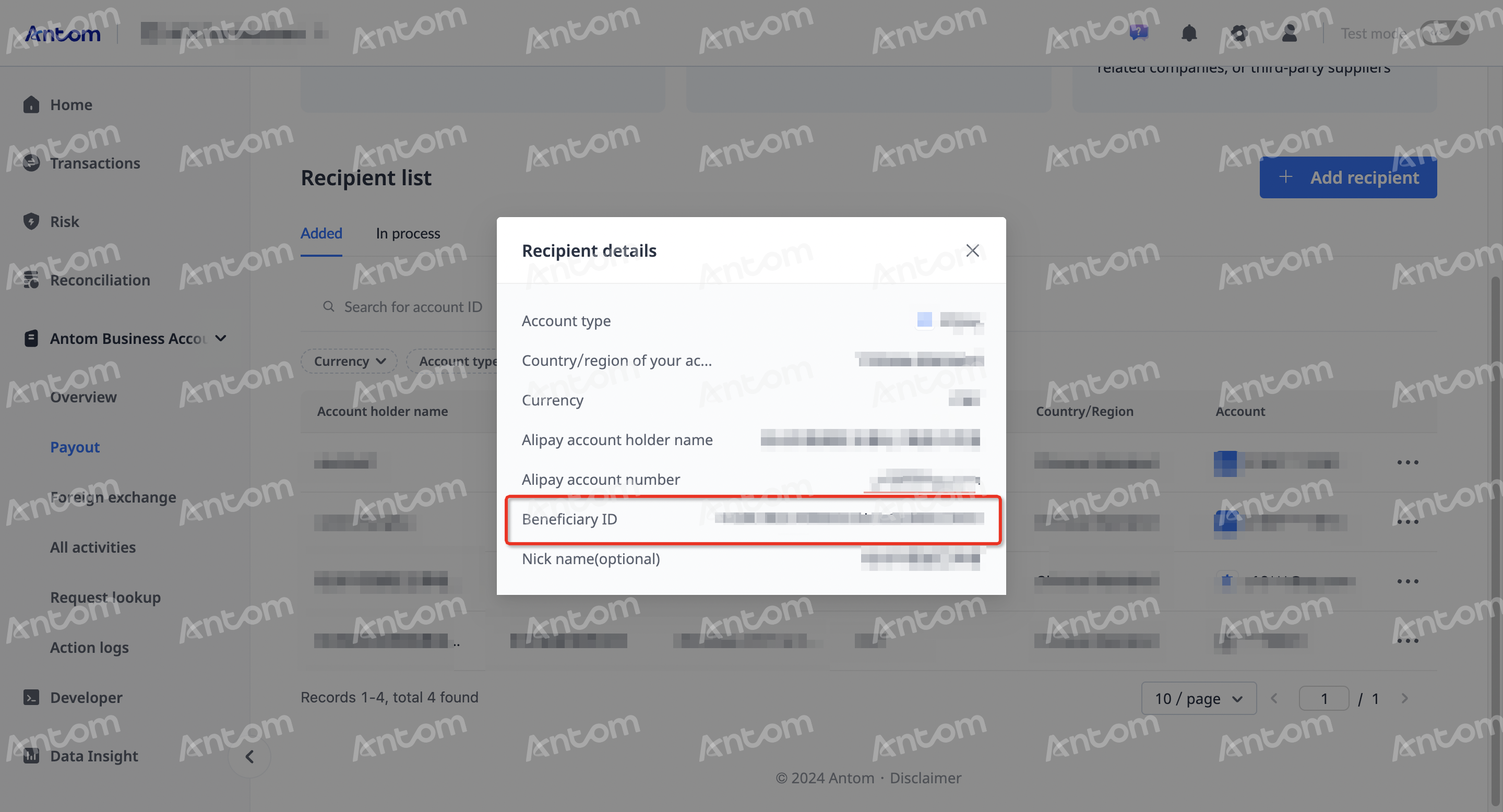
Payout
You can perform the following tasks in the Payout module of the Antom Dashboard:
- Transfer
- Withdraw
- Withdraw CNY to China
Add a recipient
To identify the third-party recipient for reporting cumulative FX settlement quotas, you can perform the following steps in the Antom Dashboard to obtain the corresponding recipient ID:
Note: For existing recipients, please directly follow step 4 to obtain recipient ID.
- Log in to the Antom Dashboard.
- Navigate to Antom Business Account > Payout > Add recipient.
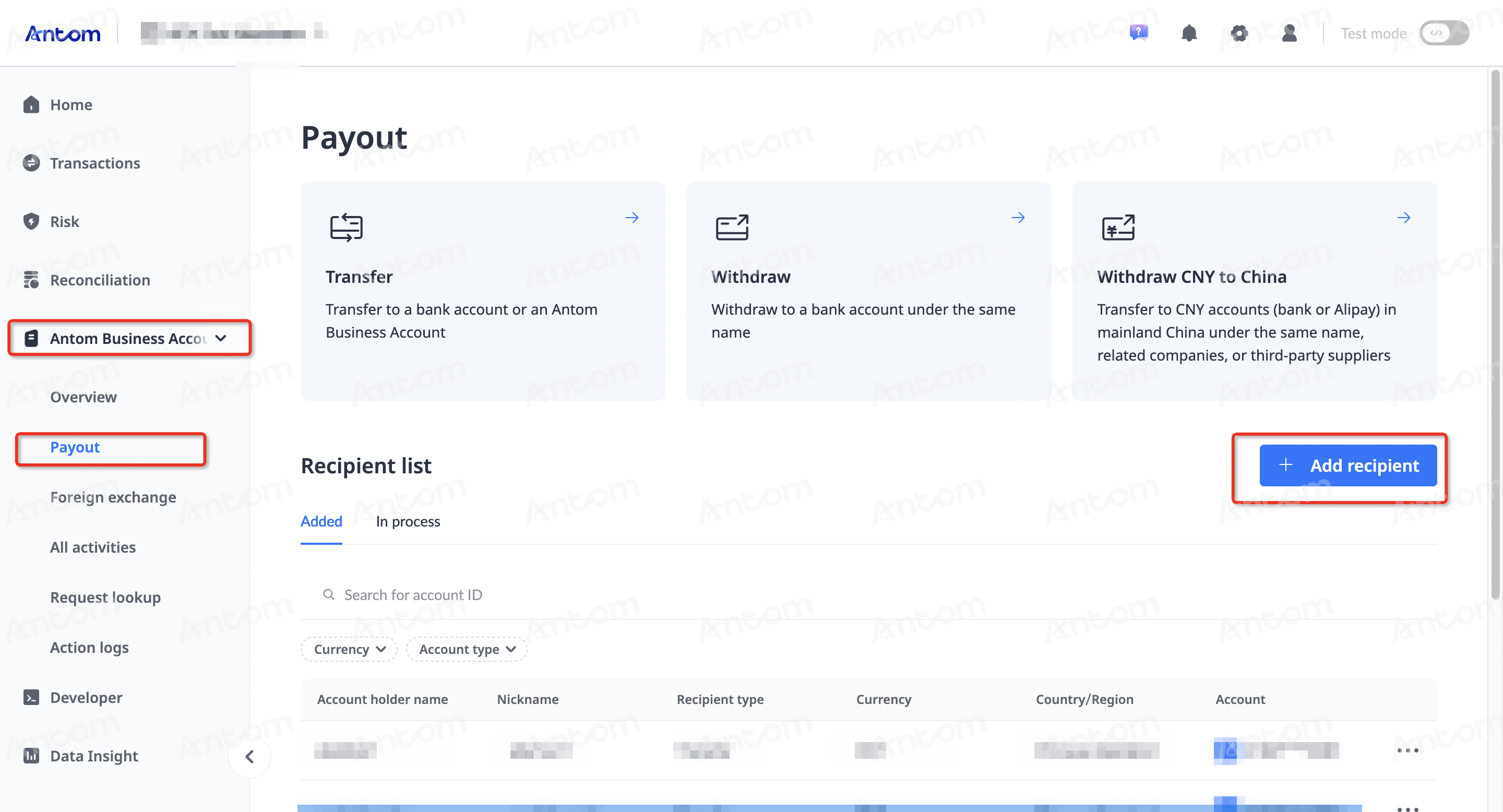
- In the Add a recipient pop-up window, fill in the recipient information and click Continue to save.
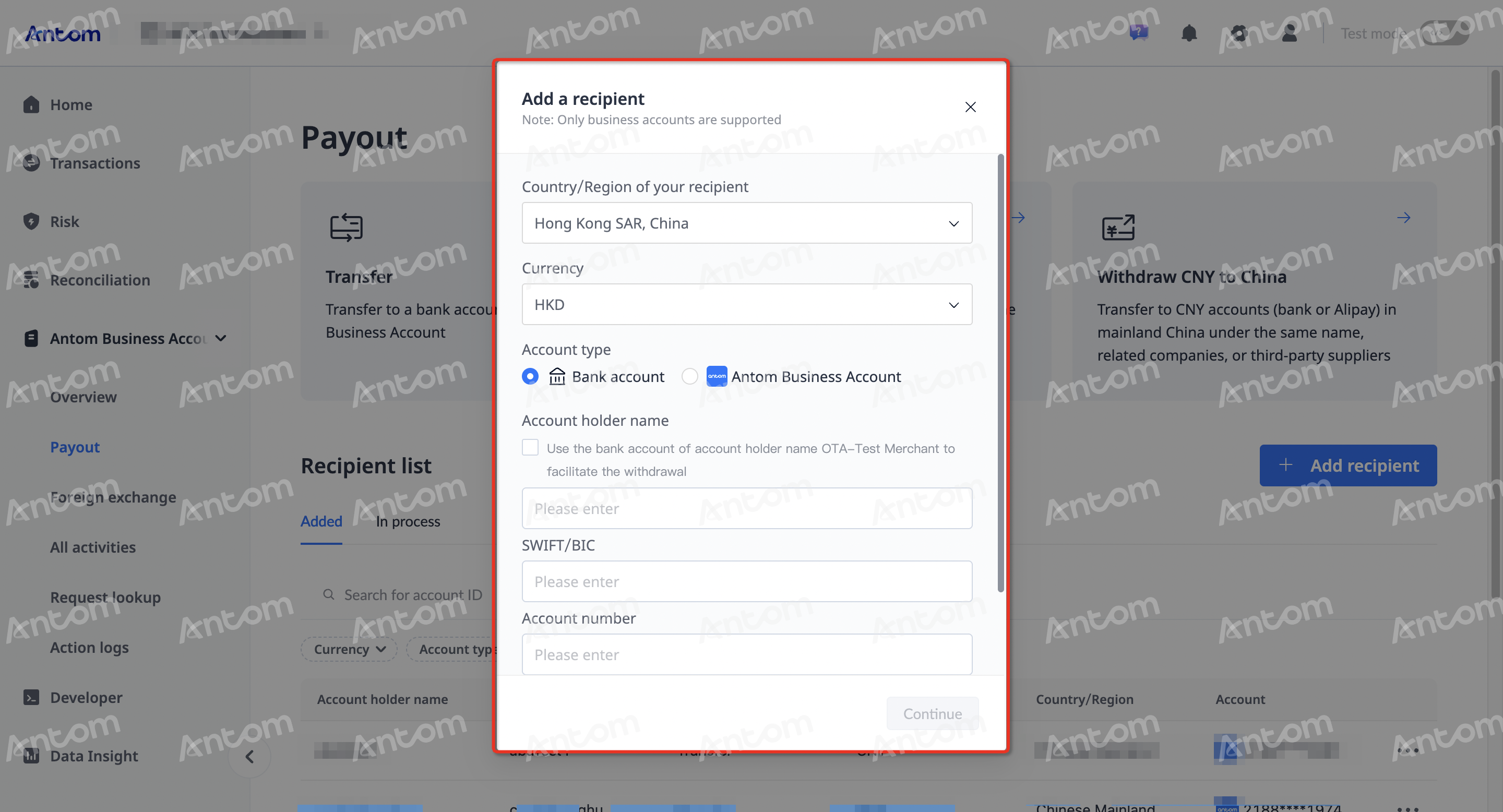
- In the Recipient list, locate the corresponding recipient, click the more button, and click View details.
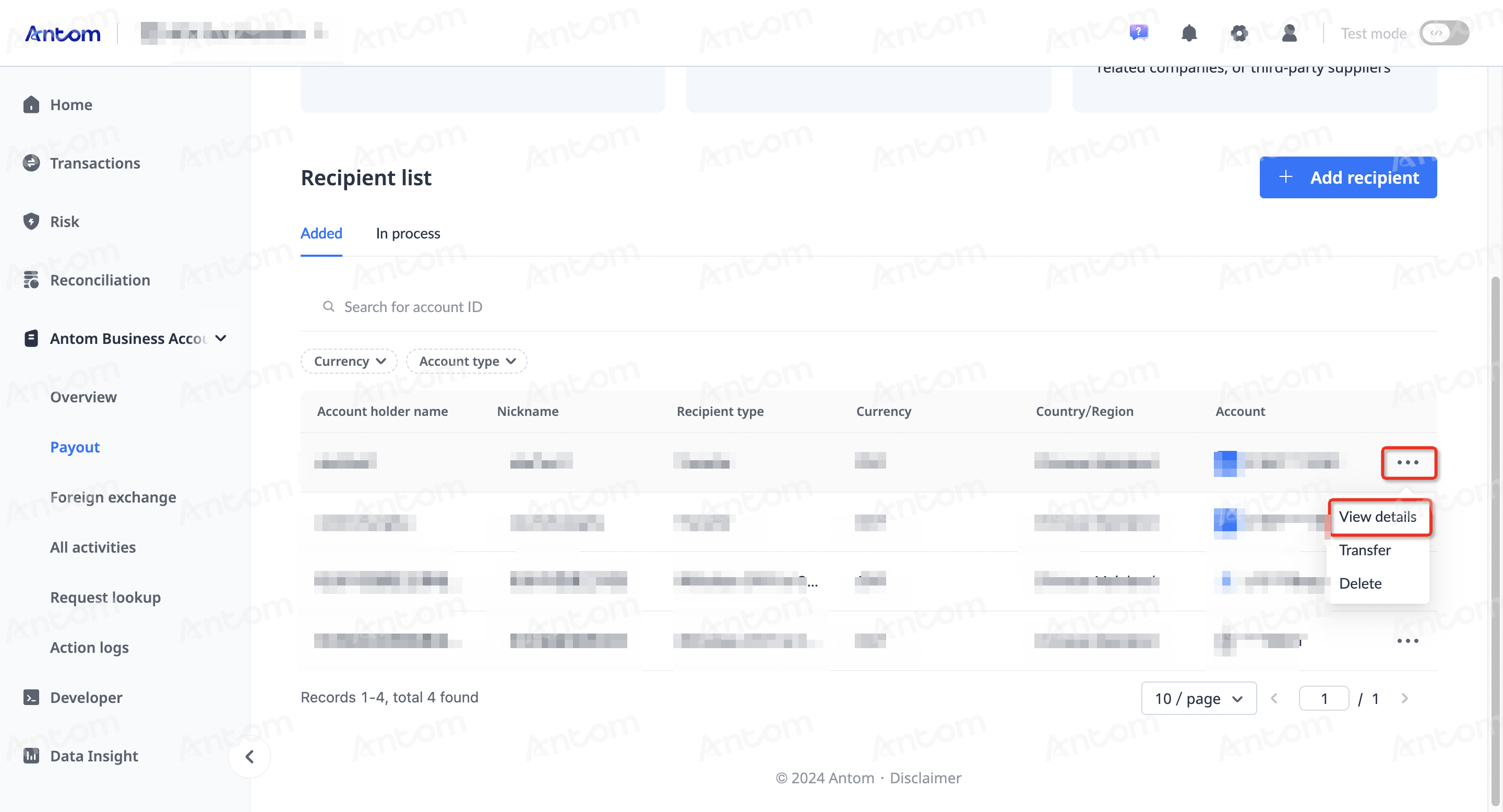
In the Recipient details pop-up window, note down the Beneficiary ID for use in future payment processes.